
 Need help?
Do you have a question about the Canon PIXMA TS5051 and is the answer not in the manual?
Troubleshooting steps for print quality issues like faint prints or uneven colors.
Covers safety precautions, regulatory information, and WEEE directives for safe operation.
Troubleshooting common issues related to network connection and settings.
Specific troubleshooting steps for issues related to network communication.
Solutions for problems where the printer cannot connect or is suddenly unusable.
Troubleshooting steps for issues like printing not starting or poor print results.
Troubleshooting specific scanning issues encountered on Windows operating systems.
Solutions for issues related to the printer's physical components and power.
Guidance for resolving issues during software installation or driver downloads.
Information on interpreting and resolving error codes and messages displayed by the printer.
A comprehensive list of support codes (error numbers) and their corresponding meanings.
Specific support codes and procedures for resolving paper jam errors.
 General
| Display | LCD |
|---|---|
| Color display | Yes |
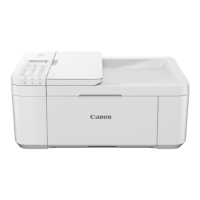
| Product color | White |
| Display diagonal | 2.95 \ |
| Market positioning | Home & office |
| Print technology | Inkjet |
| Maximum resolution | 4800 x 1200 DPI |
| Print speed (black, normal quality, A4/US Letter) | 12.6 ppm |
| Print speed (color, normal quality, A4/US Letter) | 9 ppm |
| Copier resize | 25 - 400 % |
| Maximum copy resolution | - DPI |
| Maximum number of copies | 99 copies |
| N-in-1 copy function (N=) | 2 |
| Scan to | Cloud |
| Scanner type | Flatbed scanner |
| Input color depth | 48 bit |
| Maximum scan area | 216 x 297 mm |
| Output color depth | 24 bit |
| Optical scanning resolution | 1200 x 2400 DPI |
| Faxing | No |
| Digital sender | - |
| Printing colors | Black, Cyan, Magenta, Pigment black, Yellow |
| Maximum duty cycle | - pages per month |
| Number of print cartridges | 5 |
| Paper input type | Paper tray |
| Total input capacity | - sheets |
| Maximum input capacity | 100 sheets |
| Operating temperature (T-T) | 15 - 30 °C |
| Operating relative humidity (H-H) | 10 - 80 % |
| Minimum storage drive space | 1500 MB |
| Mac operating systems supported | Mac OS X 10.10 Yosemite, Mac OS X 10.11 El Capitan, Mac OS X 10.12 Sierra, Mac OS X 10.13 High Sierra, Mac OS X 10.14 Mojave, Mac OS X 10.8 Mountain Lion, Mac OS X 10.9 Mavericks |
| Mobile operating systems supported | Android, Windows 10 Mobile, Windows RT, iOS |
| Windows operating systems supported | Windows 10 Education, Windows 10 Education x64, Windows 10 Enterprise, Windows 10 Enterprise x64, Windows 10 Home, Windows 10 Home x64, Windows 10 Pro, Windows 10 Pro x64, Windows 7 Enterprise, Windows 7 Enterprise x64, Windows 7 Home Basic, Windows 7 Home Basic x64, Windows 7 Home Premium, Windows 7 Home Premium x64, Windows 7 Professional, Windows 7 Professional x64, Windows 7 Starter, Windows 7 Starter x64, Windows 7 Ultimate, Windows 7 Ultimate x64, Windows 8, Windows 8 Enterprise, Windows 8 Enterprise x64, Windows 8 Pro, Windows 8 Pro x64, Windows 8 x64, Windows 8.1, Windows 8.1 Enterprise, Windows 8.1 Enterprise x64, Windows 8.1 Pro, Windows 8.1 Pro x64, Windows 8.1 x64, Windows RT, Windows Vista Business, Windows Vista Business x64, Windows Vista Enterprise, Windows Vista Enterprise x64, Windows Vista Home Basic, Windows Vista Home Basic x64, Windows Vista Home Premium, Windows Vista Home Premium x64, Windows Vista Ultimate, Windows Vista Ultimate x64, Windows XP Home, Windows XP Home x64, Windows XP Professional, Windows XP Professional x64 |
| Bundled software | MP Driver including Scanning Utility My Image Garden with Full HD Movie Print Quick Menu |
| AC input voltage | 100 - 240 V |
| AC input frequency | 50 - 60 Hz |
| Power consumption (off) | 0.2 W |
| Power consumption (copying) | 12 W |
| Power consumption (standby) | 1.6 W |
| Power consumption (average operating) | - W |
| Compatible memory cards | SD, SDHC |
| Sound pressure level (printing) | 44.5 dB |
| Standard interfaces | USB, Wireless LAN |
| USB 2.0 ports quantity | 1 |
| Downloadable software | Easy-WebPrint EX |
| Wi-Fi standards | 802.11b, 802.11g, Wi-Fi 4 (802.11n) |
| Security algorithms | WEP, WPA-PSK, WPA2-PSK |
| Mobile printing technologies | Apple AirPrint, Google Cloud Print, Mopria Print Service |
| Envelopes sizes | 10, DL |
| Photo paper sizes | 10x15, 13x18, 20x25 cm |
| Paper tray media types | Envelopes, Glossy paper, Matte paper, Photo paper, Plain paper |
| Paper tray media weight | 64 - 105 g/m² |
| Recommended media weight | 64 - 105, 300 g/m² |
| Non-ISO print media sizes | Legal |
| ISO A-series sizes (A0...A9) | A4, A5 |
| ISO B-series sizes (B0...B9) | B5 |
| Borderless printing media sizes | 10x15, 13x18, 20x25, A4, Letter |
| Maximum ISO A-series paper size | A4 |
 Weight and Dimensions
| Depth | 315 mm |
|---|---|
| Width | 372 mm |
| Height | 126 mm |





 To Next Page