EasyManua.ls Logo

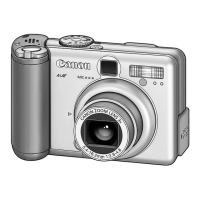
Canon PowerShot A100 - User Manual

Canon PowerShot A100
120 pages
Print Icon
To Next Page IconTo Next Page
Loading...
Camera User Guide
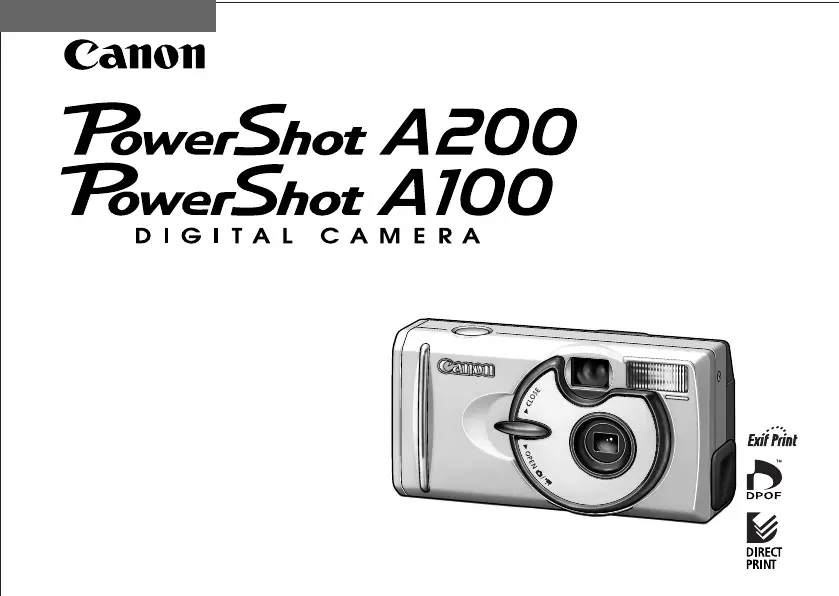
This guide covers both the PowerShot A200 and PowerShot A100 digital cameras.
Please read the "Read this First" section (p.11).
Please refer to the "Software Starter Guide" for
information on installing the software and
downloading images.
Please read the "Quick Start" section on the
following page for a simple explanation of
shooting, replaying and erasing.
Please also read the "Printer User Guide"
included with your Canon printer.
ENGLISH
2002 CANON INC.

Table of Contents

Other manuals for Canon PowerShot A100

Questions and Answers

  • J
    Jennifer HillNov 25, 2025
    Why do my Canon Digital Camera batteries drain so fast?
    • B
      Brandon MaysNov 25, 2025
      Several factors can cause your Canon Digital Camera batteries to drain quickly: * Low ambient temperatures can reduce battery capacity. If shooting in a cold environment, keep the batteries warm until you're ready to use them. * Dirty battery terminals. Clean them with a dry cloth before use. * Old batteries that haven't been used for over a year. If rechargeable, try several charging cycles to restore performance. If not, replace them. * Ineffective rechargeable batteries. Replace them with new ones. * Incorrectly placed batteries in the charger. Put them back in the correct direction. * Poor electrical contact between batteries and the charger. Wipe the battery terminals with a dry, clean cloth, ensure the batteries are firmly in the charger, and that the power cable is firm...
  • T
    tiffanylucasAug 23, 2025
    What to do if CF card is not recognized in Canon PowerShot A100 Digital Camera?
    • S
      Samantha RobertsAug 23, 2025
      If the CF card or Micro Drives are not recognized by your Canon Digital Camera, it might be due to abnormalities with the CF CARD itself. Check the mounting of parts or connector connections. Another cause may be the REAR COVER UNIT or MAIN PCB ASS’Y; in these cases, try replacing the faulty parts.
  • M
    Matthew JohnsonAug 25, 2025
    What does E25 FOCUS PI ERROR mean on Canon PowerShot A100 Digital Camera?
    • R
      Robert SmithAug 25, 2025
      If your Canon Digital Camera shows an E25 error, which is a FOCUS PI ERROR, it could be due to the OPTICAL UNIT. Check for any abnormalities in the mounting of probable faulty parts or connector connections. It could also be the MAIN PCB ASS’Y, so try replacing probable faulty parts.
  • P
    Paul ClarkAug 27, 2025
    How to fix zoom not working on Canon Digital Camera?
    • E
      Emily JohnsonAug 27, 2025
      If the zoom function is not working on your Canon Digital Camera, the issue could be with the MAIN PCB ASS’Y. Check for any abnormalities in the mounting of probable faulty parts or connector connections. Alternatively, the problem might be with the BATTERY BOX UNIT or REAR COVER UNIT. In these cases, try replacing probable faulty parts.
  • B
    Brittney WoodwardAug 29, 2025
    Why Built-in Flash does not fire on Canon PowerShot A100?
    • K
      Kelsey HancockAug 29, 2025
      If the Built-in Flash does not fire on your Canon Digital Camera, it could be due to the FLASH UNIT. Check for any abnormalities in the mounting of probable faulty parts or connector connections. Alternatively, the issue might be with the MAIN PCB ASS’Y, so try replacing probable faulty parts.
  • H
    hornjohnSep 22, 2025
    What does E52 QUICK REVIEW ERROR mean on Canon PowerShot A100 Digital Camera?
    • T
      thomaswhiteSep 22, 2025
      If your Canon Digital Camera displays an E52 error indicating a QUICK REVIEW ERROR, check for any abnormalities in the mounting of probable faulty parts or connector connections on the MAIN PCB ASS’Y.
  • K
    kathleencampbellSep 16, 2025
    What does E16 IMAGING TIME OUT mean on Canon PowerShot A100?
    • H
      hsimpsonSep 16, 2025
      If your Canon Digital Camera shows an E16 error related to IMAGING TIME OUT, check for any abnormalities in the mounting of probable faulty parts or connector connections on the MAIN PCB ASS’Y.
  • L
    Lindsay RichardsonSep 18, 2025
    What does E26 CAPTURE TIME OUT mean on Canon PowerShot A100 Digital Camera?
    • W
      warderinSep 18, 2025
      If your Canon Digital Camera shows an E26 error related to CAPTURE TIME OUT, check for any abnormalities in the mounting of probable faulty parts or connector connections on the MAIN PCB ASS’Y.
  • S
    smithjordanSep 8, 2025
    What does E27 error mean on Canon PowerShot A100 Digital Camera?
    • P
      Peter MichaelSep 8, 2025
      If your Canon Digital Camera shows an E27 error related to CF WRITE TIME OVER, the issue could stem from the CF CARD itself. Check for any abnormalities in the mounting of probable faulty parts or connector connections. The problem might also be with the MAIN PCB ASS’Y, so try replacing probable faulty parts.
  • J
    joshua00Sep 5, 2025
    What to do if my Canon PowerShot A100 Digital Camera pictures are too bright?
    • T
      Theresa BallSep 5, 2025
      If your Canon Digital Camera pictures are coming out overexposed (too bright), consider the following: * The subject might be too close to the flash. When using the flash, ensure the subject is at least 20 cm (7.9 in.) away. * The subject might be brighter than the surroundings. Set exposure compensation to a negative value. * Light might be shining or reflecting into the camera. Adjust the camera angle. * The flash mode might be set to On. Set the flash to any other mode except On.

Canon PowerShot A100 Specifications

General IconGeneral
Effective Pixels1.2 megapixels
Video Resolution320 x 240
Battery Type2 x AA batteries
Camera typeCompact
Digital Zoom2.5x
Battery2 x AA batteries
Image SensorCCD
LCD Screen1.5-inch TFT LCD
Supported Flash MemoryCompactFlash
Storage MediaCompactFlash
Image sensor size1/2.7-inch

Related product manuals