EasyManua.ls Logo

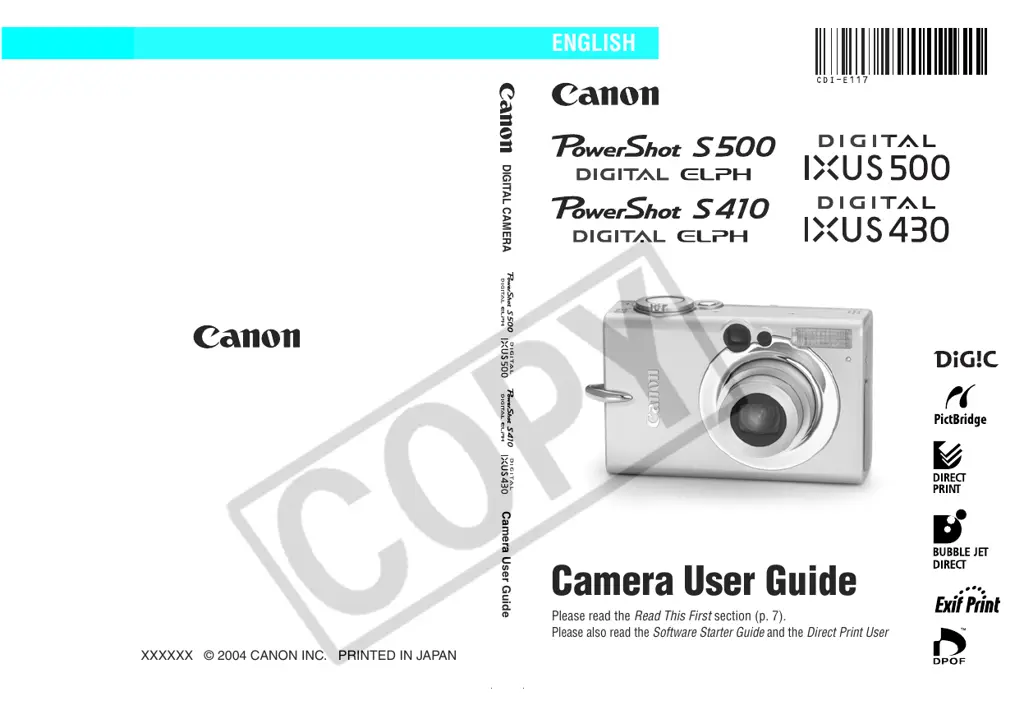
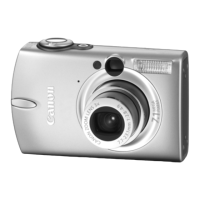
Canon PowerShot S410 Digital ELPH - User Manual

Canon PowerShot S410 Digital ELPH
163 pages
Print Icon
To Next Page IconTo Next Page
Loading...
DIGITAL CAMERA
Camera User Guide
Please read the Read This First section (p. 7).
Please also read the Software Starter Guide and the Direct Print User Guide.
CDI-E117-010 XXXXXXX © 2004 CANON INC. PRINTED IN JAPAN
Camera User Guide
ENGLISH

Table of Contents

Questions and Answers

  • S
    Steven BrownAug 17, 2025
    Why my Canon PowerShot S410 Digital ELPH Digital Camera will not operate?
    • C
      Calvin Parker DVMAug 17, 2025
      Your Canon Digital Camera might not operate due to several reasons: The camera's power might not be turned on. Press the ON/OFF button for a moment to resolve this. Also, check if the battery cover or CF card slot cover is open and ensure they are securely closed. Insufficient battery voltage can also cause this issue; insert a fully charged battery or use the AC Adapter Kit ACK500 (sold separately). Lastly, poor contact between the camera and battery terminals can prevent operation; wipe the terminals with a clean dry cloth.
  • P
    Patricia DavidsonAug 20, 2025
    What to do if my Canon PowerShot S410 Digital ELPH will not record?
    • S
      Samantha LewisAug 20, 2025
      If your Canon Digital Camera will not record, consider these potential causes: Ensure the mode switch is not set to Playback, if it is, slide the mode switch to the appropriate setting. If the flash is charging, wait until it's ready (the indicator light will turn orange). Check if the CF card is full; if so, insert a new CF card or download images to a computer to free up space. Also, the CF card might not be formatted correctly; in this case, format the CF card.
  • S
    Sabrina DixonAug 22, 2025
    What to do if my Canon PowerShot S410 Digital ELPH battery pack will not charge?
    • Y
      ychenAug 22, 2025
      If your Canon Digital Camera battery pack will not charge, it could be due to the battery pack's life being exceeded; replace it with a new one. Another possibility is poor contact between the battery pack and the battery charger. Ensure the battery pack is securely inserted into the battery charger and that the charger is securely plugged into the power outlet.
  • J
    Jonathon MooreAug 26, 2025
    Why is the subject in my Canon PowerShot S410 Digital ELPH Digital Camera image too dark?
    • K
      Kathy RichmondAug 26, 2025
      If the subject in your recorded image is too dark, it could be due to insufficient light. Try setting the flash to on. If the subject is dark compared to the background, adjust the exposure compensation to a positive (+) setting or use the spot metering function. Also, ensure the subject is within the flash range: within 3.5 m (11 ft.) at the maximum wide angle or 2.0 m (6.6 ft.) at the telephoto end. You can also raise the ISO sensitivity.
  • R
    Ryan DanielsAug 28, 2025
    How to fix the subject being too bright in my Canon PowerShot S410 Digital ELPH Digital Camera photos?
    • B
      Brandon WallaceAug 28, 2025
      If the subject in your recorded image is too bright, it may be because the subject is too close when using the flash; stay at least 46 cm (1.5 ft.) away. If the subject is bright compared to the background, set the exposure compensation to a negative (-) setting or use the spot metering function. Adjust the shooting angle if light is shining directly on or reflecting off the subject. Also, check if the flash is on and set it to off if necessary.
  • A
    aprilwestAug 31, 2025
    Why doesn't the flash fire on my Canon PowerShot S410 Digital ELPH?
    • H
      Holly CarsonAug 31, 2025
      If the flash does not fire on your Canon Digital Camera, it is likely because the flash is set to off. To resolve this, set the flash to on.
  • E
    Erica AguilarSep 2, 2025
    How to fix blurred images on my Canon Digital Camera?
    • M
      Melissa SimonSep 2, 2025
      If your Canon Digital Camera images are blurred or out of focus, it may be because the subject is hard to focus on. Use the focus lock or AF lock feature to shoot in these situations.
  • S
    Sean WallSep 5, 2025
    Why is my Canon PowerShot S410 Digital ELPH Digital Camera image not showing on the TV monitor?
    • A
      andrew05Sep 5, 2025
      If your Canon Digital Camera image is not showing on the TV monitor, the video system setting might be incorrect. Set the video system to the appropriate setting, either NTSC or PAL, for your TV. Also, if you are shooting in stitch assist, the output will not appear on a TV; cancel the stitch assist.
  • B
    Bonnie McbrideSep 8, 2025
    Why does the battery pack on my Canon PowerShot S410 Digital ELPH drain so quickly?
    • R
      Robert MasseySep 8, 2025
      If the battery pack on your Canon Digital Camera is consumed quickly, especially at normal temperatures (23 °C/73 °F), the battery life may be exceeded. In this case, replace the battery pack with a new one.
  • D
    Damon SchaeferSep 12, 2025
    Why won't the lens retract on my Canon PowerShot S410 Digital ELPH Digital Camera?
    • S
      Shawn SmithSep 12, 2025
      If the lens will not retract on your Canon Digital Camera, it might be because the battery cover or CF card slot cover was opened while the power was on. Close the battery cover or CF card slot cover first, and then turn the power off. Alternatively, the battery cover or CF card slot cover may have been opened while recording to the CF card. Again, close the cover and then turn the power off.

Summary

Camera User Guide

Preparing the Camera

Charging and Installing Battery Pack

Procedures for charging and installing the camera's battery pack.

Installing the CF Card

Instructions for inserting the CF card into the camera.

Setting Date, Time, and Language

How to configure camera date, time, and display language.

Basic Camera Functions

Powering On and Power Saving

Steps to turn the camera on/off and manage power saving features.

Shooting Modes and Techniques

Auto Mode and Image Settings

Shooting in auto mode and adjusting resolution/compression.

Flash and Zoom Operations

Using the camera's flash and zoom functions effectively.

Focus and Exposure Control

Techniques for focusing, AE lock, FE lock, and exposure compensation.

Playback and Image Management

Viewing and Magnifying Images

Displaying, magnifying, and navigating through recorded images.

Erasing and Formatting

Erasing Images

Procedures for deleting single or all images from the camera.

Formatting CF Cards

Preparing CF cards for use by erasing all data.

Printing and Transferring Images

Connecting the Camera to a Computer

Computer System Requirements

Specifications for computers to connect with the camera.

Viewing Images on a TV Set

Customizing Camera Settings (My Camera)

Troubleshooting Camera Issues

Power, Recording, and Playback Problems

Solutions for power, recording, and playback issues.

Photo Tips and Information

Functions Available in Each Shooting Mode

Canon PowerShot S410 Digital ELPH Specifications

General IconGeneral
BrandCanon
ModelPowerShot S410 Digital ELPH
CategoryDigital Camera
LanguageEnglish

Related product manuals