EasyManua.ls Logo

Canon PowerShot SD110 (PC1085) - User Manual

Canon PowerShot SD110 (PC1085)
163 pages
Print Icon
To Next Page IconTo Next Page
Loading...
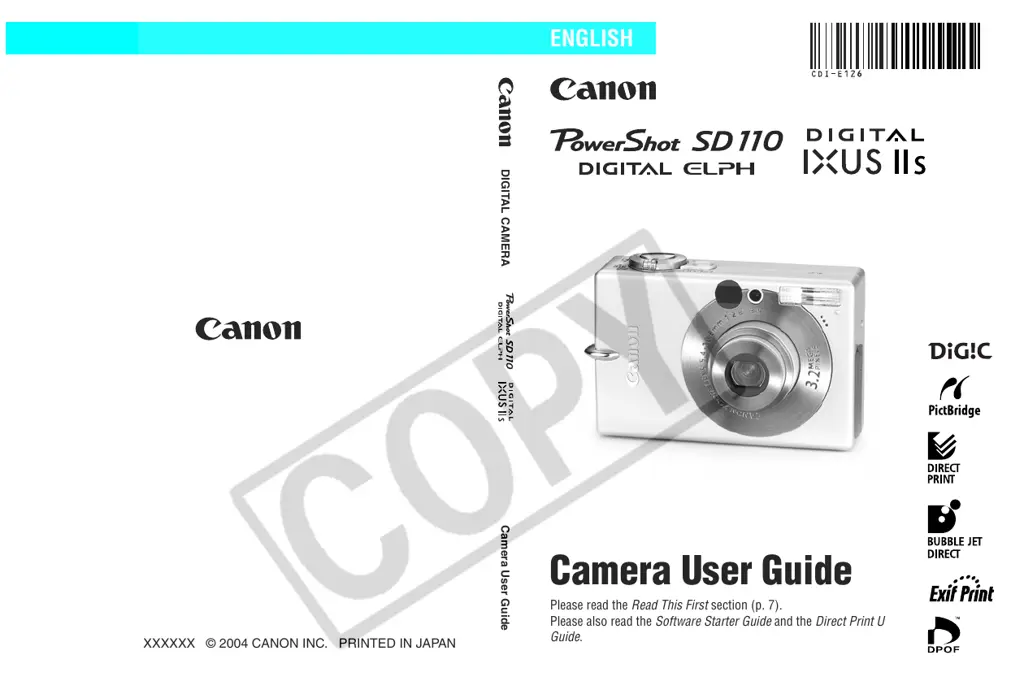
DIGITAL CAMERA
Camera User Guide
Please read the Read This First section (p. 7).
Please also read the Software Starter Guide and the Direct Print User
Guide.
CDI-E126-010 XXXXXXX © 2004 CANON INC. PRINTED IN JAPAN
Camera User Guide
ENGLISH

Table of Contents

Questions and Answers

  • L
    lindseyginaAug 19, 2025
    How to fix a Canon Digital Camera that will not turn on?
    • K
      Karen ThompsonAug 19, 2025
      If your Canon Digital Camera is not operating, here are a few things to check: * Ensure the power is turned on by pressing the ON/OFF button. * Make sure the SD card slot/battery cover is securely closed. * Verify that the battery has sufficient voltage; if not, insert a fully charged battery or use the AC Adapter Kit ACK900 (sold separately). * Clean the terminals with a clean, dry cloth to ensure good contact between the camera and battery terminals.
  • D
    Dr. Kimberly Brock DDSAug 21, 2025
    What to do if my Canon Digital Camera will not record?
    • M
      Michael WilliamsAug 21, 2025
      If your Canon Digital Camera is not recording, consider the following: * Ensure the mode switch is set to the correct recording mode ( or ). * If the flash is charging, wait until it's ready. You can press the shutter button when the upper indicator beside the viewfinder lights orange. * Check if the SD card is full. If so, insert a new SD card or download the images to a computer and erase them from the SD card to free up space. * Verify that the SD card is not write-protected by sliding the write-protect tab of the SD card upward.
  • R
    Robert RamirezAug 23, 2025
    What to do if Canon PowerShot SD110 (PC1085) Digital Camera battery pack will not charge?
    • R
      Rose JacobsonAug 23, 2025
      If the battery pack for your Canon Digital Camera will not charge, try the following: * If the battery pack life has been exceeded, replace it with a new one. * Ensure the battery pack is securely inserted into the battery charger and that the battery charger plug is securely plugged into the power outlet. This will ensure there is no poor contact between the battery pack and charger.
  • J
    Jordan RamirezAug 26, 2025
    Why is my Canon Digital Camera taking dark pictures?
    • S
      sbradyAug 26, 2025
      If the subject in your recorded image is too dark, here are some potential reasons and solutions: * If there's insufficient light, turn the flash on. * If the subject is dark compared to the background, adjust the exposure compensation to a positive (+) setting or use the spot metering function. * If the subject is too far for the flash, move closer (within 3 m (9.8 ft.) at wide angle or 2 m (6.6 ft.) at telephoto). You can also raise the ISO sensitivity. * If the subject is bright in contrast to the background, set the exposure compensation to a negative (-) setting or use the spot metering function.
  • O
    Oscar HowellAug 28, 2025
    How to enable flash on Canon PowerShot SD110 (PC1085) Digital Camera?
    • C
      Cassandra SmithAug 28, 2025
      If the flash on your Canon Digital Camera isn't firing, it might be turned off. Set the flash to on.
  • M
    Michael DavisAug 30, 2025
    How to fix blurry photos on Canon PowerShot SD110 (PC1085)?
    • S
      Sean LiuAug 30, 2025
      If your images are blurred or out of focus, here are a few things to consider: * Ensure you're not moving the camera while pressing the shutter button. * Make sure the AF-assist Beam isn't blocked by fingers or other objects. * Confirm that the AF-assist Beam is set to [On]. * Ensure there is at least 47 cm (1.5 ft.) between the camera lens and subject. Use the Macro mode to shoot close-ups between 23 and 47 cm (9.1 in. to 1.5 ft.) from the lens (10 cm (3.9 in.) when set to wide angle). Use the Infinity mode to shoot distant subjects.
  • T
    tamaranavarroSep 1, 2025
    Why does my Canon Digital Camera battery die so fast?
    • H
      heidiestesSep 1, 2025
      If the battery pack on your Canon Digital Camera is consumed quickly, especially if it loses its charge rapidly at normal temperature (23 °C/73 °F), it may be time to replace it with a new one.
  • T
    Tracy KingSep 3, 2025
    Why is my Canon PowerShot SD110 (PC1085) image not showing on TV?
    • C
      Christopher BruceSep 3, 2025
      If the image from your Canon Digital Camera is not showing on the TV monitor, it might be due to: * An incorrect video system setting. Set the video system to the appropriate setting, NTSC or PAL, for your TV. * Shooting in stitch assist mode. The output will not appear on a TV in stitch assist. Cancel the stitch assist.
  • T
    thomasgarciaSep 6, 2025
    Why is my Canon Digital Camera reading images from SD card so slow?
    • L
      Lee JonesSep 6, 2025
      If your Canon Digital Camera is reading images from the SD card slowly, it might be because the SD card was formatted in another device. Use an SD card formatted in your camera.
  • T
    Tara PopeSep 8, 2025
    What to do if lens will not retract on Canon PowerShot SD110 (PC1085)?
    • T
      Tina AtkinsonSep 8, 2025
      If the lens on your Canon Digital Camera will not retract, it could be due to these reasons: * If the SD card slot/battery cover was opened with the power on, first close the cover and then turn the power off. * If the SD card slot/battery cover was opened while recording to the SD card (indicated by a warning signal), first close the cover and then turn the power off.

Summary

Essential Information and Safety

Safety Precautions

Essential safety guidelines for camera operation, handling, and storage to prevent injury.

Preparing the Camera for Use

Battery and SD Card Setup

Instructions for charging, installing the battery pack, and inserting the SD card.

Basic Camera Functions

Menus and Settings Configuration

Navigating Menus with FUNC. and MENU

How to access and adjust camera settings using FUNC. and MENU buttons.

Shooting Modes and Techniques

Auto and Manual Shooting Modes

Step-by-step guide for shooting in Auto and Manual modes.

Playback and Media Management

Erasing and Formatting Media

Procedures for deleting images and formatting SD cards.

Printing and Transferring Images

Connecting to Computer for Transfer

Transferring images to a computer via USB or SD card.

Advanced Camera Features and Information

Messages, Troubleshooting, and Tips

Understanding error messages, troubleshooting issues, and photo tips.

Canon PowerShot SD110 (PC1085) Specifications

General IconGeneral
TypeDigital Camera
BrandCanon
ModelPowerShot SD110 (PC1085)
Effective Megapixels3.2 MP
Optical Zoom2x
Digital Zoom3.2x
ISO RangeAuto, 50, 100, 200, 400
Image FormatsJPEG
Movie FormatsAVI
File FormatsJPEG, AVI
Image SensorCCD
LCD Screen1.5 inch
Video Resolution640 x 480
Battery TypeLithium-ion battery
Storage MediaSD Card
Weight160 g

Related product manuals