EasyManua.ls Logo

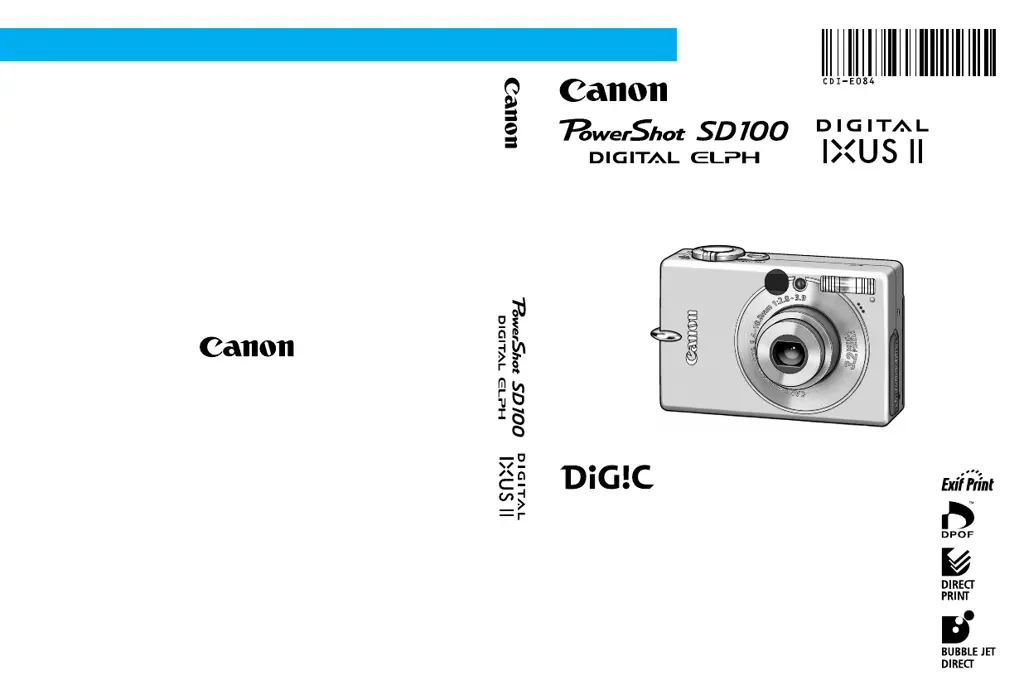
Canon PowerShot SD100 - User Manual

Canon PowerShot SD100
191 pages
Print Icon
To Next Page IconTo Next Page
Loading...
CDI-E084-010 XX02XXX © 2003 CANON INC. PRINTED IN JAPAN
DIGITAL CAMERA
Camera User Guide
Camera User Guide
ENGLISH
Please read the Read This First section (p. 7).
Please refer to the Software Starter Guide for information on
installing the software and downloading images.
Please also read the printer user guide included with your Canon
printer.

Table of Contents

Other manuals for Canon PowerShot SD100

Questions and Answers

  • J
    Joshua LeeAug 19, 2025
    Why my Canon Digital Camera will not operate?
    • C
      Cynthia JonesAug 19, 2025
      Your Canon Digital Camera may not operate because the power is not turned on. Try pressing the ON/OFF button. Alternatively, the SD card slot or battery cover might be open; ensure they are securely closed. Insufficient battery voltage could also be the cause, so insert a fully charged battery or use the AC Adapter Kit ACK900 (sold separately). Finally, check for poor contact between the camera and battery terminals, and wipe the terminals with a clean, dry cloth if necessary.
  • J
    Jeffrey RobertsonAug 21, 2025
    What to do if my Canon PowerShot SD100 Digital Camera will not record?
    • V
      vangmatthewAug 21, 2025
      If your Canon Digital Camera won't record, check if the mode switch is set to (Replay); if so, set it to , or . Also, wait until the flash charges fully. If the SD card is full, insert a new one or download images to a computer and erase them from the card. If the SD card is not formatted correctly, format it. Finally, ensure the SD card is not write-protected by sliding the write-protect tab upward.
  • W
    whiteshawnAug 23, 2025
    What to do if Canon PowerShot SD100 Digital Camera battery pack will not charge?
    • E
      Edward NorrisAug 23, 2025
      If your Canon Digital Camera battery pack will not charge, it may be because the battery pack life has been exceeded; replace it with a new one. Alternatively, there might be poor contact between the battery pack and the battery charger; ensure the battery pack is securely inserted into the charger and that the charger plug is securely plugged into the power outlet.
  • A
    Andrea ThompsonAug 26, 2025
    Why is the subject in my Canon PowerShot SD100 image too dark?
    • L
      leslie67Aug 26, 2025
      If the subject in your Canon Digital Camera image is too dark, it could be due to insufficient light. Try setting the flash to on. If the subject is dark in contrast to the background, set the exposure compensation to a positive (+) setting or use the spot metering function. If the subject is too far away for the flash to reach, shoot within 3 m (9.8 ft.) at the maximum wide angle or 2 m (6.6 ft.) at the telephoto end setting when using the flash.
  • D
    Dr. Keith KirkAug 28, 2025
    Why is the subject in my Canon PowerShot SD100 Digital Camera image too bright?
    • J
      James GreeneAug 28, 2025
      If the subject in your Canon Digital Camera image is too bright, it could be because the subject is too close when using the flash; stay at least 47 cm (1.5 ft.) away. If the subject is bright compared to the background, set the exposure compensation to a negative (-) setting or use the spot metering function. Also, adjust the shooting angle if light is shining directly on or reflecting off the subject. Finally, ensure the flash is set to off if it's not needed.
  • E
    evansmithAug 30, 2025
    Why is my Canon PowerShot SD100 Digital Camera image blurred?
    • S
      shannonclarkAug 30, 2025
      If your Canon Digital Camera image is blurred, it could be due to camera movement while pressing the shutter button, so be careful to hold the camera steady. Also, ensure that the AF-assist Beam is not blocked by fingers or other items. If the AF-assist Beam is set to [Off], set it to [On].
  • D
    Dominique NelsonSep 1, 2025
    Why does the flash not fire on my Canon PowerShot SD100?
    • A
      Adrienne PriceSep 1, 2025
      If the flash does not fire on your Canon Digital Camera, it may be because the flash is set to off. Set the flash to on.
  • J
    Jeffrey RivasSep 3, 2025
    Why is the image not showing on the TV monitor from my Canon PowerShot SD100?
    • S
      Stephanie TaylorSep 3, 2025
      If the image is not showing on the TV monitor from your Canon Digital Camera, the video system setting may be incorrect. Set the video system to the appropriate setting, NTSC or PAL, for your TV. Also, the output will not appear on a TV in stitch assist. Cancel the stitch assist.
  • M
    Michael HarveySep 5, 2025
    How to fix a Canon PowerShot SD100 lens that will not retract?
    • J
      Jessica JohnsSep 5, 2025
      If the lens on your Canon Digital Camera will not retract, it might be because the SD card slot or battery cover was opened while the power was on. First, close the SD card slot or battery cover, and then turn the power off. This also applies if the SD card slot or battery cover was opened while recording to the SD card (indicated by a warning signal).
  • D
    daniellefloresSep 7, 2025
    What causes a Canon PowerShot SD100 battery pack to be consumed quickly?
    • K
      Kimberly BrooksSep 8, 2025
      If your Canon Digital Camera battery pack loses its charge quickly at normal temperature, its life may be exceeded. Replace the battery pack with a new one.

Summary

Read This First

Safety Precautions

Provides essential safety guidelines for operating the camera and its accessories to prevent injury or damage.

Quick Start

Preparing the Camera

Charging the Battery Pack

Step-by-step instructions for charging the camera's battery pack before first use.

Installing the SD Card

Procedure for inserting an SD card into the camera, including write protect tab usage.

Basic Functions

Selecting Menus and Settings

Explains how to navigate and select settings using the FUNC. and MENU buttons.

Customizing the Camera (My Camera Settings)

Shooting

Shooting in Auto Mode

Basic shooting instructions where the camera automatically selects most settings.

Using the Flash

Explanation of different flash modes and their usage.

Locking the Focus (AF Lock)

Methods for locking focus on subjects in challenging situations.

Replaying

Erasing

Formatting SD Cards

Instructions on how to format SD cards before use, which erases all data.

Printing

Downloading Images to a Computer

List of Messages

Troubleshooting

Specifications

Functions Available in Each Shooting Mode

Canon PowerShot SD100 Specifications

General IconGeneral
Optical Zoom3x
Digital Zoom3.2x
Shutter Speed1/2000 - 15 sec
Lens35-105mm (35mm equivalent)
ISO RangeAuto, 100, 200, 400
LCD Screen Size1.5"
DisplayTFT
Video Recording320 x 240, 15 fps
Storage MediaSD Card
BatteryLithium-Ion
Image Sensor1/2.5-inch CCD

Related product manuals