EasyManua.ls Logo

Canon PowerShot SD10 (PC1060) - User Manual

Canon PowerShot SD10 (PC1060)
171 pages
Print Icon
To Next Page IconTo Next Page
Loading...
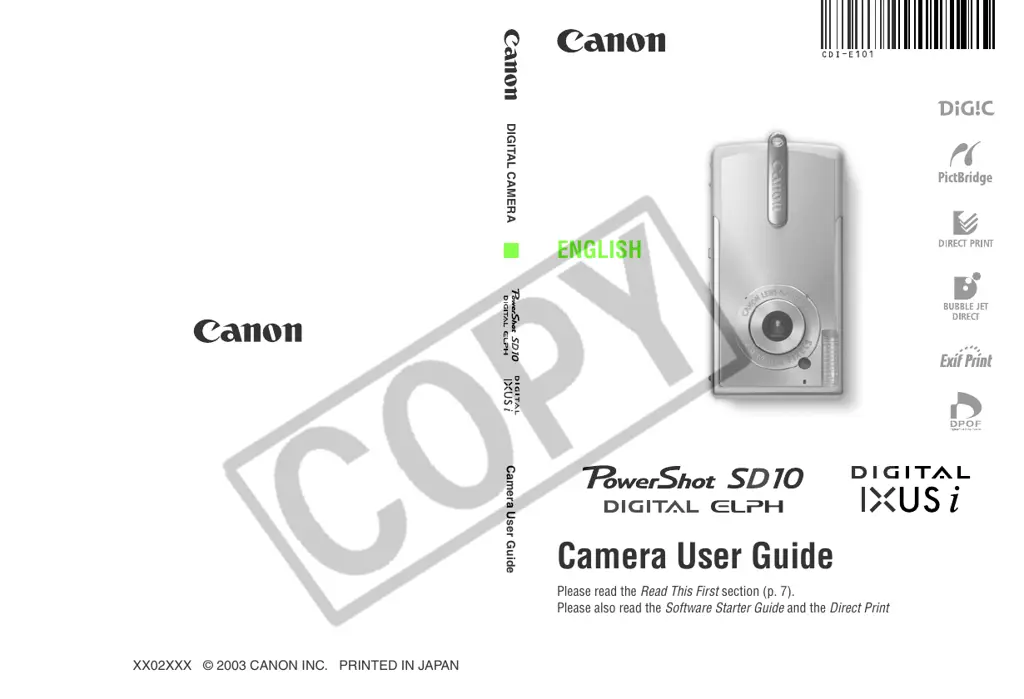
DIGITAL CAMERA
Camera User Guide
Camera User Guide
Please read the Read This First section (p. 7).
Please also read the Software Starter Guide and the Direct Print User Guide.
ENGLISH
CDI-E101-010 XX02XXX © 2003 CANON INC. PRINTED IN JAPAN

Table of Contents

Questions and Answers

  • D
    david94Aug 17, 2025
    How to fix Canon PowerShot SD10 (PC1060) Digital Camera that will not turn on?
    • E
      ebirdAug 17, 2025
      If your Canon Digital Camera isn't turning on, there might be a few reasons. First, ensure the power is actually on by pressing the ON/OFF button. Check that the SD card slot and battery cover are securely closed. Also, make sure the battery is fully charged. Finally, if none of these steps work, try wiping the battery terminals with a clean, dry cloth to ensure good contact.
  • E
    elizabeth84Aug 20, 2025
    What to do if my Canon Digital Camera will not record?
    • C
      Catherine RodriguezAug 20, 2025
      If your Canon Digital Camera isn't recording, here are a few things to check: * Ensure that the mode switch is set to the recording mode ( or ). * If the flash is charging, wait until it's ready (the indicator light will turn orange). * Make sure your SD card isn't full; if it is, insert a new one or download the images to a computer and erase them from the card. * Verify that the SD card is not write-protected by sliding the write-protect tab upward. * Also, avoid opening the SD card slot or battery cover while the power is on; close the cover first, and then turn the power off.
  • M
    Maureen ClementsAug 23, 2025
    What to do if my Canon PowerShot SD10 (PC1060) Digital Camera battery pack will not charge?
    • N
      Nathan CampbellAug 23, 2025
      If the battery pack for your Canon Digital Camera isn't charging, it could be due to the battery pack life being exceeded; in this case, replace it with a new one. Also, ensure the battery pack is securely inserted into the battery charger and that the charger is properly plugged into the power outlet to ensure good contact.
  • S
    Sharon EdwardsAug 26, 2025
    Why are my Canon Digital Camera photos blurry?
    • S
      Stephen VegaAug 26, 2025
      If your Canon Digital Camera photos are blurry, several factors could be the cause. Ensure you're holding the camera steady while pressing the shutter button. Make sure that nothing is blocking the AF-assist Beam. Also, confirm that your subject is within the focal range—at least 10 cm (3.9 in.) away, or between 3 and 10 cm (1.2 to 3.9 in.) if using Macro mode.
  • U
    uklineAug 28, 2025
    Why does the battery on my Canon PowerShot SD10 (PC1060) drain so fast?
    • C
      Cynthia HooperAug 28, 2025
      If the battery pack on your Canon Digital Camera loses its charge quickly at normal temperature, it may be reaching the end of its life. Replace it with a new one.
  • J
    Jeffrey WilliamsAug 30, 2025
    How to brighten dark photos on my Canon Digital Camera?
    • D
      danaburkeAug 31, 2025
      If subjects in your Canon Digital Camera images appear too dark, it could be due to insufficient light. Try setting the flash to on. If the subject is dark compared to the background, adjust the exposure compensation to a positive (+) setting or use the spot metering function. Also, ensure the subject is within the flash range, ideally within 2.0 m (6.6 ft.).
  • A
    Anthony GarrettSep 2, 2025
    Why is my Canon PowerShot SD10 (PC1060) Digital Camera taking overexposed pictures?
    • E
      ewalkerSep 2, 2025
      If your Canon Digital Camera images are too bright, it might be because the subject is too close when using the flash; maintain a distance of at least 30 cm (1.0 ft.). If the subject is bright compared to the background, try setting the exposure compensation to a negative (-) setting or use the spot metering function. Adjust the shooting angle if light is shining directly on the subject, or turn the flash off.
  • B
    Brent StoneSep 5, 2025
    Why doesn't the flash fire on my Canon PowerShot SD10 (PC1060)?
    • K
      kingsusanSep 5, 2025
      If the flash on your Canon Digital Camera isn't firing, first ensure that the flash is set to on. Also, verify that the video system setting (NTSC or PAL) is appropriate for your TV.
  • W
    wsuarezSep 8, 2025
    Why is my Canon Digital Camera slow to read images from the SD card?
    • C
      Clayton AndersonSep 8, 2025
      If your Canon Digital Camera is slow to read images from the SD card, it might be because the card was formatted in another device. Use an SD card formatted in your camera.
  • J
    James HallSep 12, 2025
    Why does a red or purple bar of light appear on my Canon PowerShot SD10 (PC1060) Digital Camera LCD screen?
    • A
      Anthony CollinsSep 12, 2025
      The appearance of a red or purple bar of light on the LCD monitor of your Canon Digital Camera is a normal occurrence in devices containing CCDs and does not indicate a malfunction. This bar of light will not be recorded when shooting still photos, but it will be recorded when shooting movies.

Summary

Quick Start Guide

Charge the Battery Pack

Step-by-step guide for charging the camera's battery pack.

Install Battery and SD Card

Instructions for correctly inserting the battery pack and SD card.

Preparing the Camera

Charging and Handling the Battery Pack

Instructions for charging, handling, and installing the battery pack safely.

Installing the SD Card

Instructions for inserting and securing the SD memory card.

Basic Functions

Shooting

Selecting a Shooting Mode

Guide to choosing between Auto, Manual, Macro, Movie, etc.

Changing Image Settings

How to adjust image resolution, compression, and flash modes.

Exposure and Tone Adjustments

How to adjust exposure compensation, shutter speed, WB, and ISO.

Playback

Erasing

Formatting SD Cards and Error Solutions

How to format SD cards and troubleshoot card errors.

Connecting the Camera to a Computer;TV

Connecting via USB Cable

Step-by-step guide for connecting the camera to a computer using a USB cable.

Troubleshooting

Camera Operation Issues

Solutions for common problems like camera not operating or not recording.

Image Quality and Focusing Issues

Solutions for blurred images, battery issues, and focusing problems.

Subject;Flash and SD Card Issues

Solutions for issues with subject brightness, flash, and SD card performance.

Canon PowerShot SD10 (PC1060) Specifications

General IconGeneral
BrandCanon
ModelPowerShot SD10 (PC1060)
CategoryDigital Camera
LanguageEnglish

Related product manuals