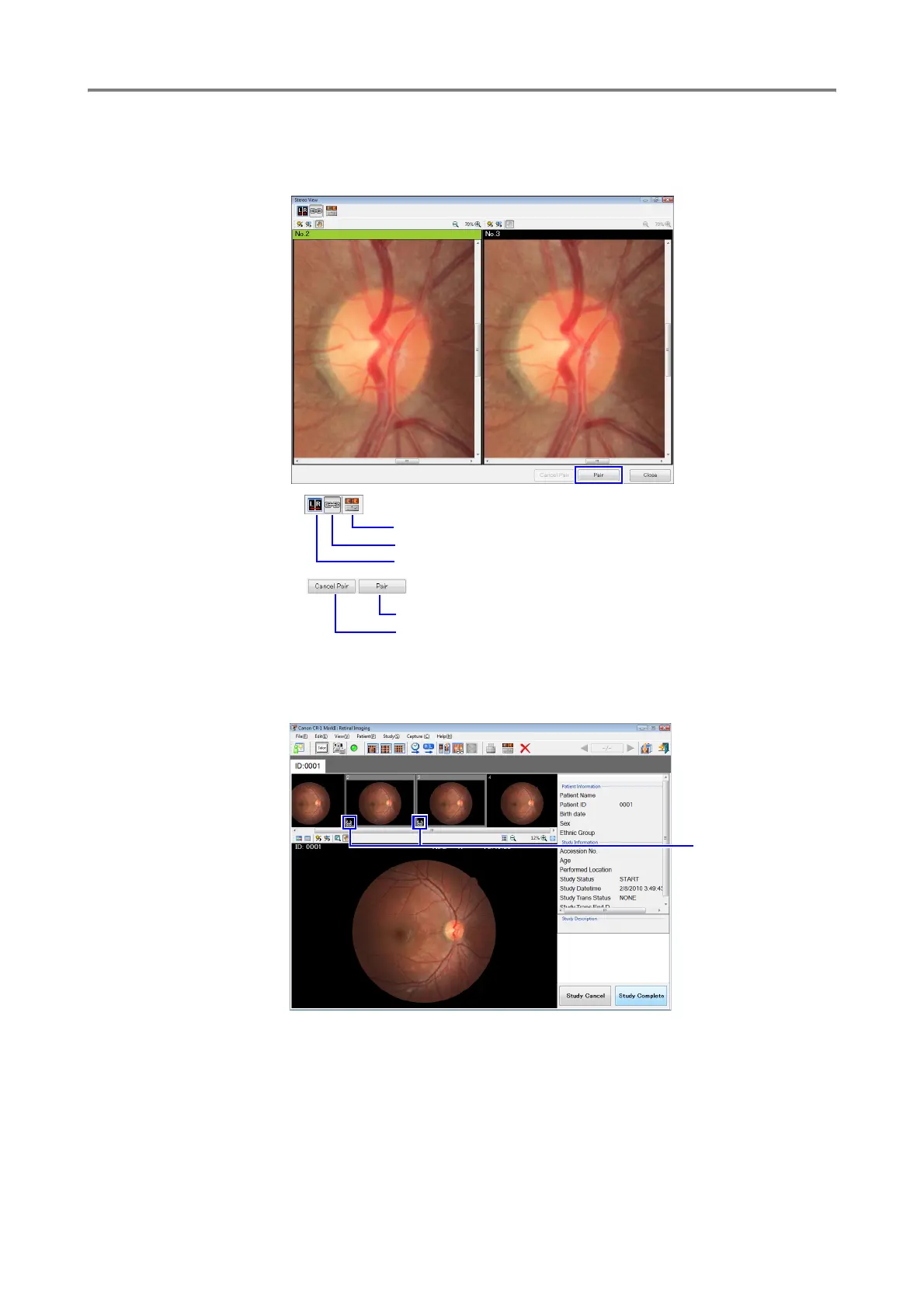
Manipulating Images in Stereo Display
5
4
Click [Pair].
The images in the side-by-side alignment are recorded as a stereo image.
5
Click [Close]. The stereo mark is added to the thumbnails.
Pair as stereo image. The stereo mark appears.
Unpair the images. The stereo mark disappears.
Adjust images
Apply the same effect to both images (zoom in, zoom out, or move)
Switch right and left images
Stereo mark









 To Next Page