4
Manipulating Images in Stereo Display
2
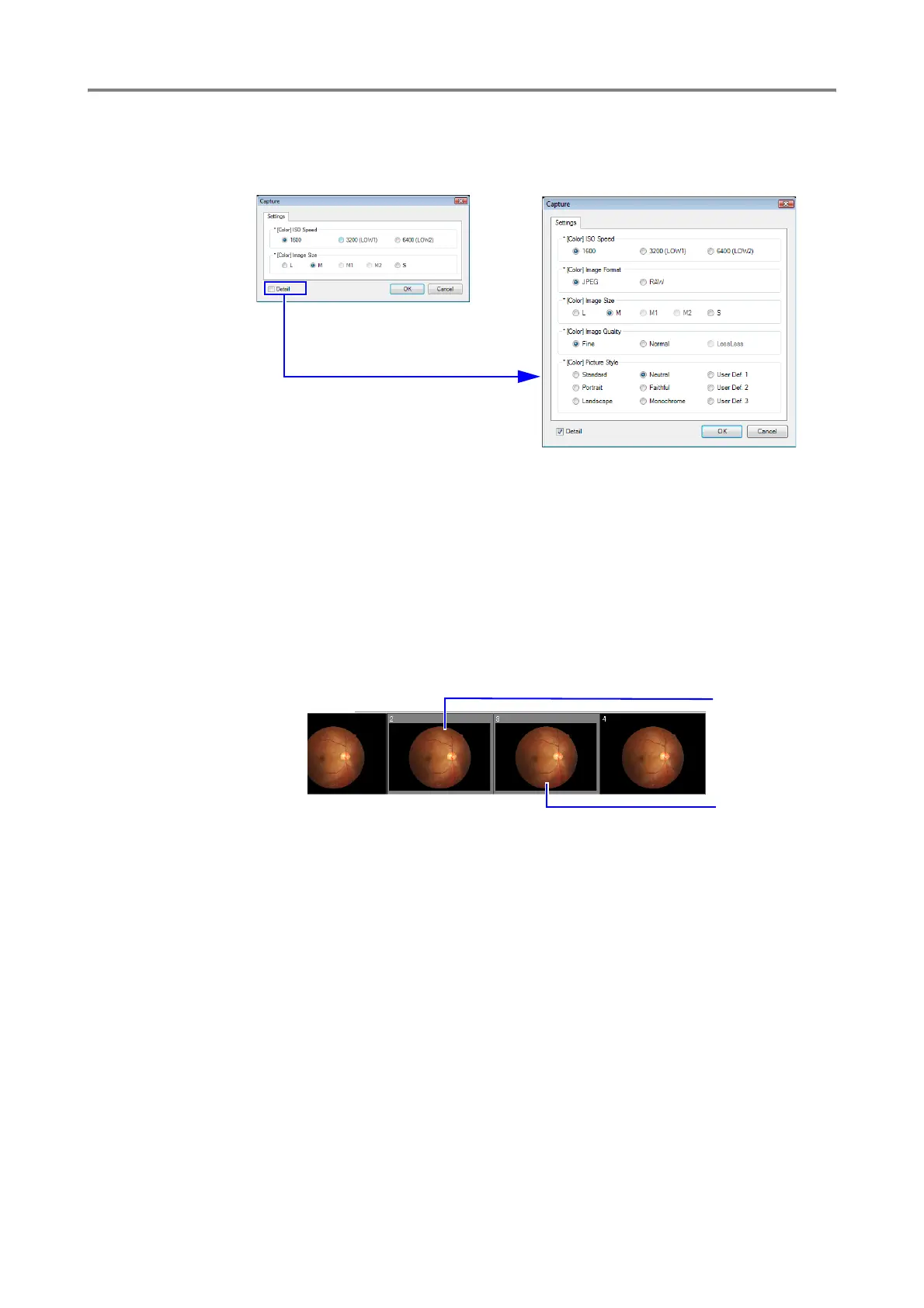
Change the settings.
You can display more settings, by selecting the Detail checkbox.
3
Click [OK] to close the Capture screen.
Manipulating Images in Stereo Display
You can record two captured images paired in a stereo image on the Stereo Display screen.
Pairing Images for Stereo Images
1
Click the thumbnail of the first image you want to pair as a stereo image.
2
Hold the Ctrl key and click the thumbnail of the second image.
3
Click [Stereo View]. The stereo image appears in the side-by-side alignment that the
thumbnails are displayed.
First selection
Second selection









 To Next Page