Setting Personal Name Separator Conversion Rule in DICOM
7
Setting Personal Name Separator Conversion Rule in DICOM
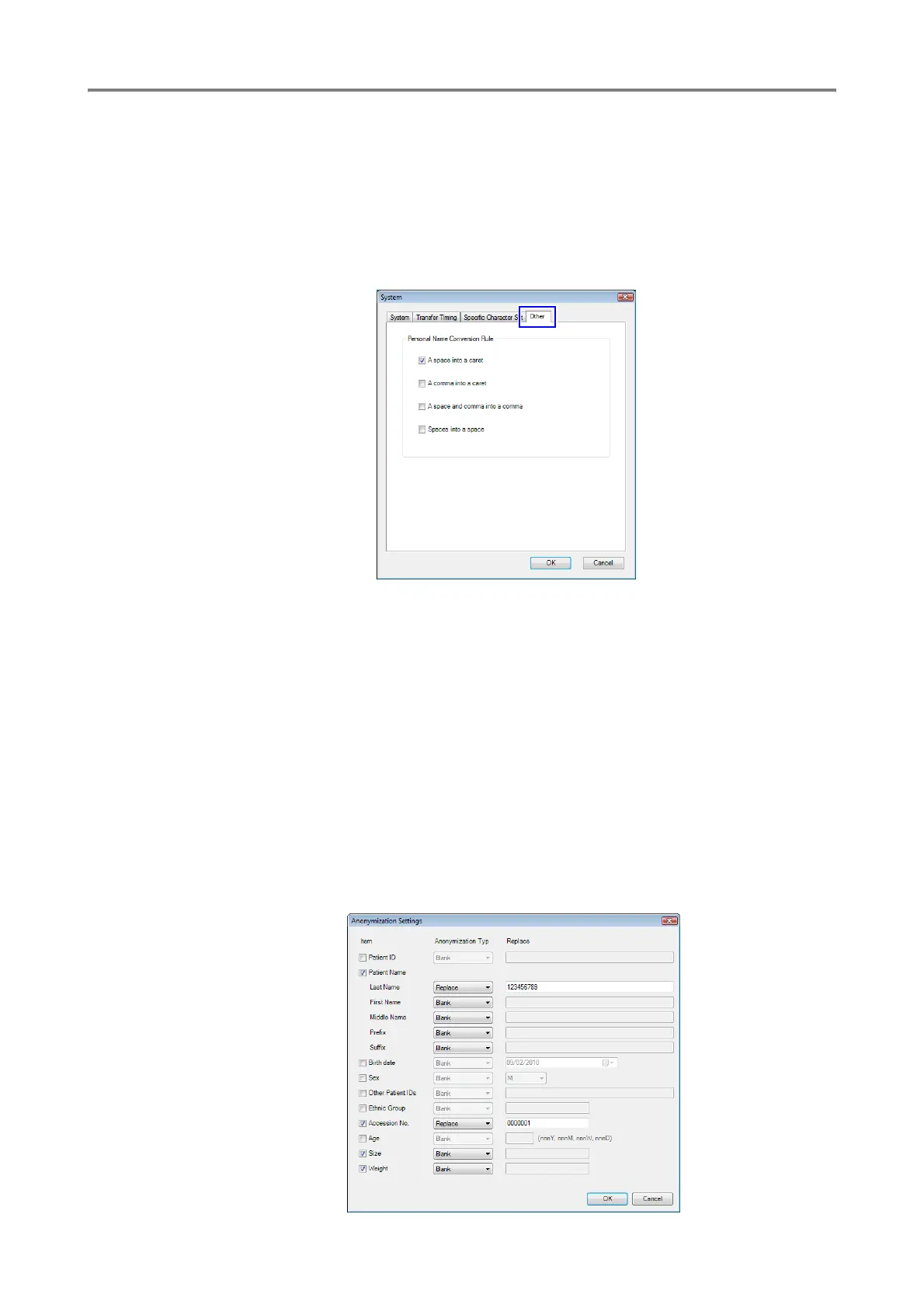
You can set the conversion rule for the separator between name elements in DICOM.
On the Other tab of the System screen, select a conversion rule option.
The setting is applied to screen displays and DICOM text string output.
See also section 7.2 “System” in the Operation Manual.
Anonymizing Patient Information
The Retinal imaging control software NM can anonymize pieces of patient information that are
appended to transferred images.
See also section 7.6 “Storage” in the Operation Manual.
1
Open the Create a New Storage screen or Change a Storage screen.
2
Select the Anonymize Patient Info. checkbox.
3
Click the [Anonymize Settings] button. The Anonymization Settings screen appears.
4
Select the items that you want to anonymize.










 To Next Page