EasyManua.ls Logo

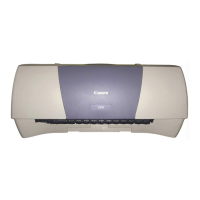
Canon S 820 - User Manual

Canon S 820
185 pages
Print Icon
To Next Page IconTo Next Page
Loading...
User’s Guide
PHOTO PRINTER
V1

Table of Contents

Question and Answer IconNeed help?

Do you have a question about the Canon S 820 and is the answer not in the manual?

Summary

Safety Precautions

Choosing a location

Precautions regarding printer placement near flammable solvents and in suitable environments.

Power supply

Safety guidelines for plugging/unplugging, cord usage, and power source requirements.

Printer Parts and Their Functions

Printer Driver Functions (Windows)

Printer Driver Functions (Macintosh)

Routine Maintenance

When to Replace Ink Tank and Maintain Printhead

Guidance on when to replace ink tanks and perform printhead maintenance.

Replacing an Ink Tank

Step-by-step instructions for safely installing new ink tanks.

Printing Media

Troubleshooting

Cannot Install the Printer Driver

Solutions for issues encountered during printer driver installation.

Print Quality is Poor or Contains Errors

Common print quality problems and their resolution steps.

Printer Does Not Start or Stops During Print Jobs

Troubleshooting steps for when the printer fails to start or pauses during printing.

Paper Does Not Feed Properly or Paper Jams

Solutions for paper feeding issues and resolving paper jams.

The POWER Lamp Flashes Orange

Interpreting POWER lamp flashes to diagnose and resolve printer errors.

An Error Message is Displayed on the Screen

Guidance for addressing various error messages shown on the computer screen.

Problems Unique to Windows

Specific troubleshooting for issues encountered only on Windows operating systems.

Specifications

Summary

Safety Precautions

Choosing a location

Precautions regarding printer placement near flammable solvents and in suitable environments.

Power supply

Safety guidelines for plugging/unplugging, cord usage, and power source requirements.

Printer Parts and Their Functions

Printer Driver Functions (Windows)

Printer Driver Functions (Macintosh)

Routine Maintenance

When to Replace Ink Tank and Maintain Printhead

Guidance on when to replace ink tanks and perform printhead maintenance.

Replacing an Ink Tank

Step-by-step instructions for safely installing new ink tanks.

Printing Media

Troubleshooting

Cannot Install the Printer Driver

Solutions for issues encountered during printer driver installation.

Print Quality is Poor or Contains Errors

Common print quality problems and their resolution steps.

Printer Does Not Start or Stops During Print Jobs

Troubleshooting steps for when the printer fails to start or pauses during printing.

Paper Does Not Feed Properly or Paper Jams

Solutions for paper feeding issues and resolving paper jams.

The POWER Lamp Flashes Orange

Interpreting POWER lamp flashes to diagnose and resolve printer errors.

An Error Message is Displayed on the Screen

Guidance for addressing various error messages shown on the computer screen.

Problems Unique to Windows

Specific troubleshooting for issues encountered only on Windows operating systems.

Specifications

Canon S 820 Specifications

General IconGeneral
Printer TypePhoto Printer
Output TypeColor
ConnectivityUSB
Paper Capacity100 sheets
Print Speed (BW)8 ppm
Media TypePlain paper, envelopes, photo paper
InterfaceUSB
Paper SizesA4
Operating SystemsWindows 95/98/2000/Me

Related product manuals