EasyManua.ls Logo

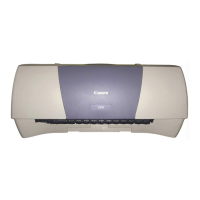
Canon S 200 - User Manual

Canon S 200
198 pages
Print Icon
To Next Page IconTo Next Page
Loading...
User’s Guide
BUBBLE JET PRINTER
V1
S200.book Page 1 Saturday, September 22, 2001 2:34 PM

Table of Contents

Question and Answer IconNeed help?

Do you have a question about the Canon S 200 and is the answer not in the manual?

Summary

Safety Precautions

Printer Driver Functions (Windows)

Opening the Printer Properties Dialog Box

Provides instructions for accessing the printer's main configuration settings.

Printer Properties Dialog Box Description

Explains the various tabs and options available within the dialog box.

BJ Status Monitor Functions

Printer Driver Functions (Macintosh)

Description of Print Settings

Outlines the print settings and options specific to Macintosh systems.

Using the Printer with a Network

Routine Maintenance

When to Replace Ink Tank and Maintain Print Head

Provides guidance on ink tank replacement and print head maintenance procedures.

Printing the Nozzle Check Pattern

Instructs on printing a pattern to diagnose print head nozzle status.

Print Head Cleaning

Details the steps for cleaning the print head to resolve print quality issues.

Print Head Alignment

Explains the process of aligning the print head for optimal output.

Enabling Low Ink Warning

Covers the activation and management of the low ink warning system.

Printing Media

Troubleshooting

Print Quality is Poor or Contains Errors

Provides solutions for problems related to print quality and error messages.

Printer Does Not Start or Stops During Print Jobs

Troubleshooting steps for printer startup failures or job interruptions.

Paper Does Not Feed Properly or Paper Jams

Solutions for issues with paper feeding and common paper jams.

Specifications

Summary

Safety Precautions

Printer Driver Functions (Windows)

Opening the Printer Properties Dialog Box

Provides instructions for accessing the printer's main configuration settings.

Printer Properties Dialog Box Description

Explains the various tabs and options available within the dialog box.

BJ Status Monitor Functions

Printer Driver Functions (Macintosh)

Description of Print Settings

Outlines the print settings and options specific to Macintosh systems.

Using the Printer with a Network

Routine Maintenance

When to Replace Ink Tank and Maintain Print Head

Provides guidance on ink tank replacement and print head maintenance procedures.

Printing the Nozzle Check Pattern

Instructs on printing a pattern to diagnose print head nozzle status.

Print Head Cleaning

Details the steps for cleaning the print head to resolve print quality issues.

Print Head Alignment

Explains the process of aligning the print head for optimal output.

Enabling Low Ink Warning

Covers the activation and management of the low ink warning system.

Printing Media

Troubleshooting

Print Quality is Poor or Contains Errors

Provides solutions for problems related to print quality and error messages.

Printer Does Not Start or Stops During Print Jobs

Troubleshooting steps for printer startup failures or job interruptions.

Paper Does Not Feed Properly or Paper Jams

Solutions for issues with paper feeding and common paper jams.

Specifications

Canon S 200 Specifications

General IconGeneral
BrandCanon
ModelS 200
CategoryPrinter
LanguageEnglish

Related product manuals