EasyManua.ls Logo

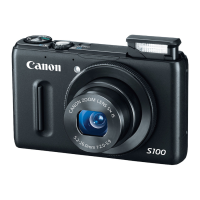
Canon S110 RGB - User Manual

Canon S110 RGB
40 pages
Print Icon
To Next Page IconTo Next Page
Loading...
User Manual
S110 RGB/NIR/RE camera
Revision 3 / September 2014
Copyright © 2010-2014 senseFly Ltd
Question and Answer IconNeed help?

Do you have a question about the Canon S110 RGB and is the answer not in the manual?

Summary

Part I Getting started

Predefined camera settings

Default camera parameter sets optimized by senseFly for various operational scenarios.

Pre-flight procedure

Essential steps to prepare the S110 camera and eBee drone before flight operations.

Launching the eBee

Guidance on the take-off process for the eBee drone, considering the S110 camera payload.

In-flight performance

Analysis of how the S110 camera affects the eBee's flight endurance and overall performance.

Processing flight data and images

Methods for processing and managing image data captured by the S110 camera post-flight.

Part II Advanced modes

Understanding exposure

Explanation of camera exposure controls: Shutter Speed, Aperture, and ISO sensitivity.

Tv mode

Utilizing Shutter Priority (Tv) mode for manual control over shutter speed and automatic aperture/ISO.

M mode

Manual (M) mode operation for full user control over Shutter Speed, Aperture, and ISO settings.

Part III Appendix

RGB, NIR and RE bands

Detailed spectral response curves for S110 RGB, NIR, and RE camera variants.

RGB, NIR and RE images comparison

Visual examples illustrating image differences captured by S110 RGB, NIR, and RE variants.

Specifications

Key technical specifications, including sensor, resolution, speed, and operating environment.

Handling precautions

Essential safety and care instructions for operating and maintaining the S110 camera.

senseFly factory settings

Step-by-step guide to reset the S110 camera to its original senseFly factory configurations.

Summary

Part I Getting started

Predefined camera settings

Default camera parameter sets optimized by senseFly for various operational scenarios.

Pre-flight procedure

Essential steps to prepare the S110 camera and eBee drone before flight operations.

Launching the eBee

Guidance on the take-off process for the eBee drone, considering the S110 camera payload.

In-flight performance

Analysis of how the S110 camera affects the eBee's flight endurance and overall performance.

Processing flight data and images

Methods for processing and managing image data captured by the S110 camera post-flight.

Part II Advanced modes

Understanding exposure

Explanation of camera exposure controls: Shutter Speed, Aperture, and ISO sensitivity.

Tv mode

Utilizing Shutter Priority (Tv) mode for manual control over shutter speed and automatic aperture/ISO.

M mode

Manual (M) mode operation for full user control over Shutter Speed, Aperture, and ISO settings.

Part III Appendix

RGB, NIR and RE bands

Detailed spectral response curves for S110 RGB, NIR, and RE camera variants.

RGB, NIR and RE images comparison

Visual examples illustrating image differences captured by S110 RGB, NIR, and RE variants.

Specifications

Key technical specifications, including sensor, resolution, speed, and operating environment.

Handling precautions

Essential safety and care instructions for operating and maintaining the S110 camera.

senseFly factory settings

Step-by-step guide to reset the S110 camera to its original senseFly factory configurations.

Canon S110 RGB Specifications

General IconGeneral
BrandCanon
ModelS110 RGB
CategoryDigital Camera
LanguageEnglish

Related product manuals