JM
© 2006 Spokane Public Schools, Instructional Technology Facilitators
Screen shot(s) reprinted by permission from Microsoft Corporation.
Downloading Pictures to the Computer
Step 1
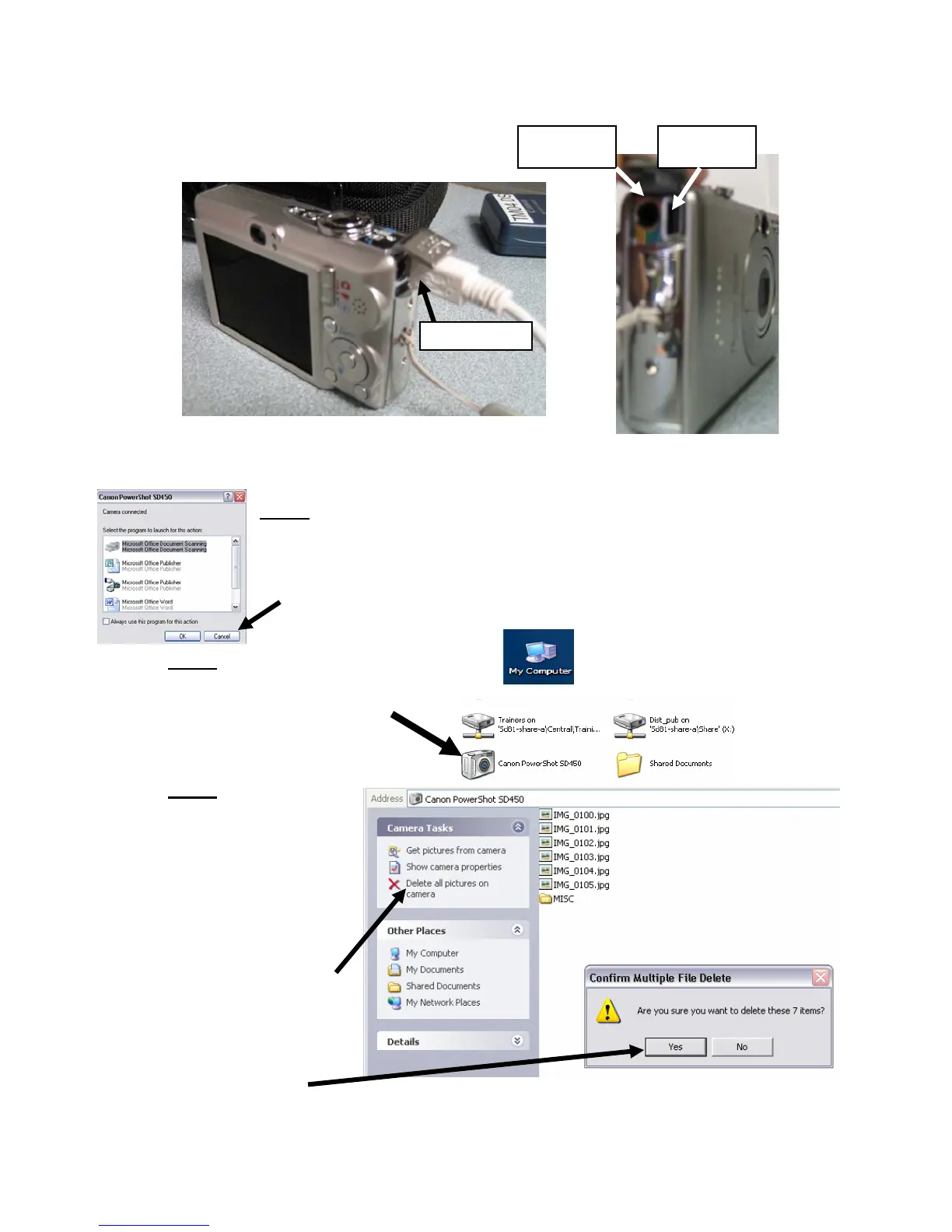
- Move the lever down to PLAY MODE.
- Turn the camera on.
- Plug the USB cable into the camera and the computer.
- Click cancel when this action box appears.
Step 2
- Click on My Computer on your desktop.
- Click on the Canon icon.
Step 3
- Copy and paste
your pictures into a
folder.
- Delete individual
pictures from the
camera here. It will
save battery life.
- Delete all the
pictures from the
camera by clicking
“Delete all pictures
on camera”
- If this is correct,
click yes.
USB port AV port










 To Previous Page