Attaching and Detaching the Transmitter
1.
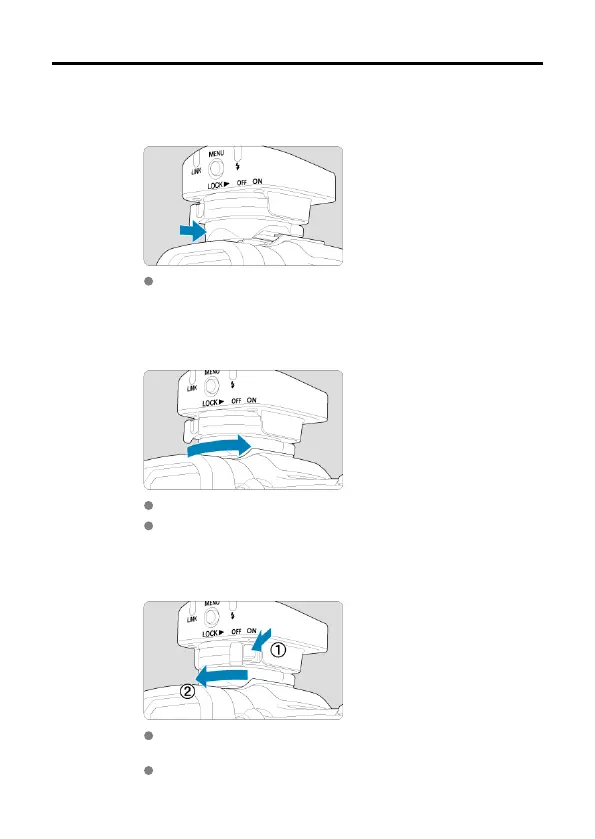
Attach the transmitter.
Insert the mounting foot in the multi-function shoe until it clicks into
place.
2.
Secure the transmitter.
On the mounting foot, slide the mounting foot lock lever to the right.
When the lock lever clicks in place, it is locked.
3.
Detach the transmitter.
While pressing the lock-release button, slide the mounting foot lock
lever left and remove the transmitter.
Reattach the cover to protect the contacts.
12













 To Next Page