M: Wireless Multiple-Flash Photography with Manual
Flash Output
MULTI: Stroboscopic Flash
This section describes wireless multiple-flash shooting in manual flash mode. You can set
the flash output in a range from full 1/1 output to 1/8192 output in 1/3-stop increments for
each firing group. All settings are configured on the sender unit.
1.
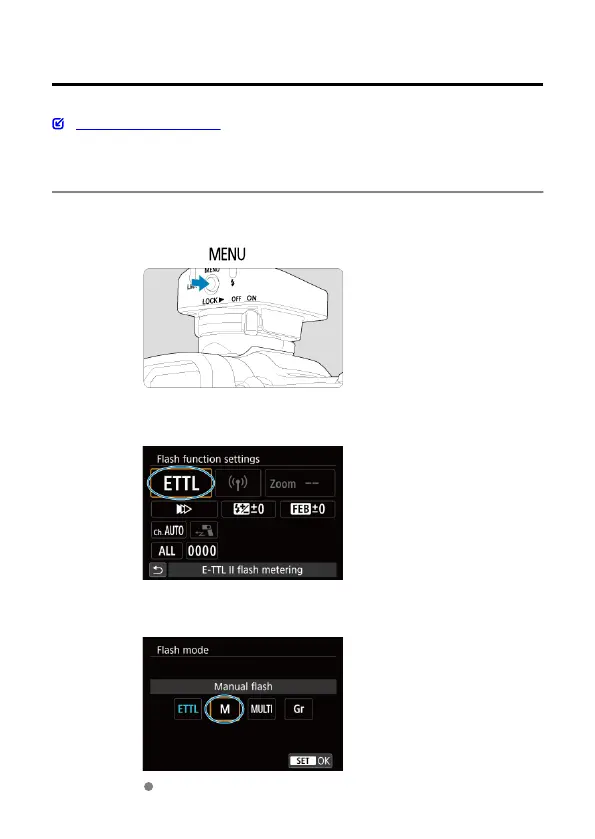
Press the <
> button.
2.
Select [Flash mode].
3.
Set the flash mode to [Manual flash].
Select [Manual flash] and then [OK].
50













 To Next Page