4.
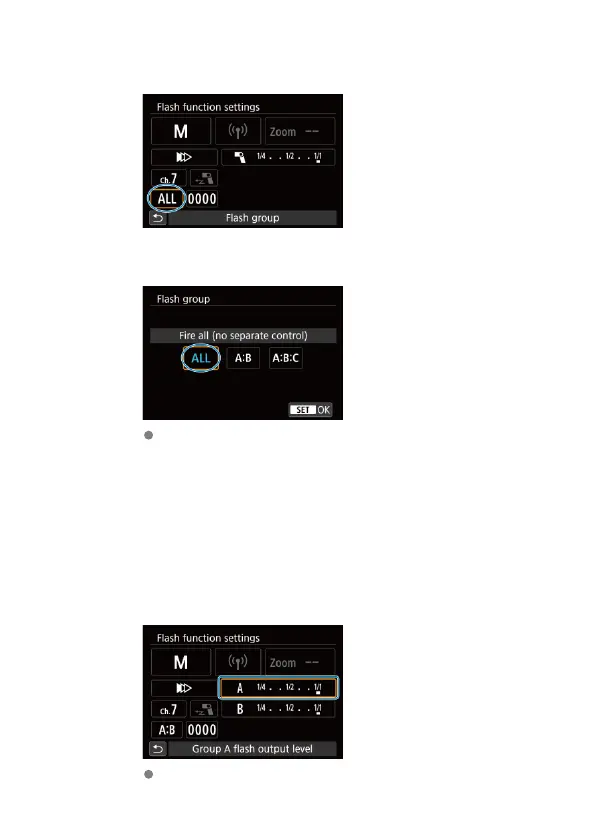
Select [Flash group].
5.
Set the firing group.
Select [Fire all (no separate control)], [A:B], or [A:B:C], and then
[OK].
• For the same output from all receivers, select [Fire all (no
separate control)].
• To set the output for firing groups A and B, select [A:B].
• To set the output for firing groups A, B, and C, select [A:B:C].
6.
Select a firing group.
Select the group to which the flash output applies.
51













 To Next Page