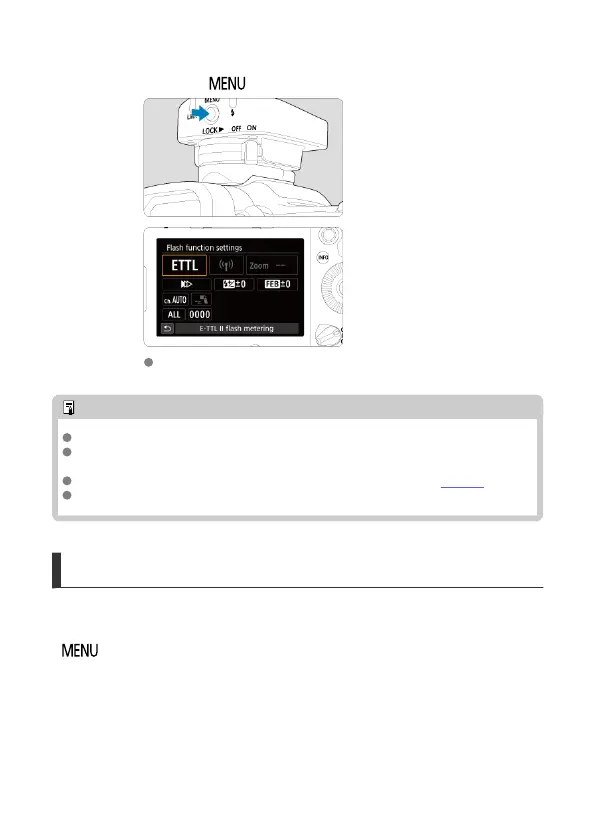
3.
Press the <
> button.
[Flash function settings] is displayed on the camera screen.
Note
All transmitter features are configured from this camera menu.
The transmitter's settings are stored even when you detach it from the camera. The
settings are maintained when you reattach the transmitter.
You can set the camera to beep when the receiver is fully charged (C.Fn-20).
The transmitter is powered by the camera.
Auto Power Off
The unit will turn off automatically 5 min. after the camera's auto power off feature is
activated, if no operation is performed. To wake it, either wake the camera or press the
< > button on the ST-E10. Note that during the time until the ST-E10 goes off
automatically, it will continue to consume camera battery power.
16













 To Next Page