Transmitter Custom Function Settings
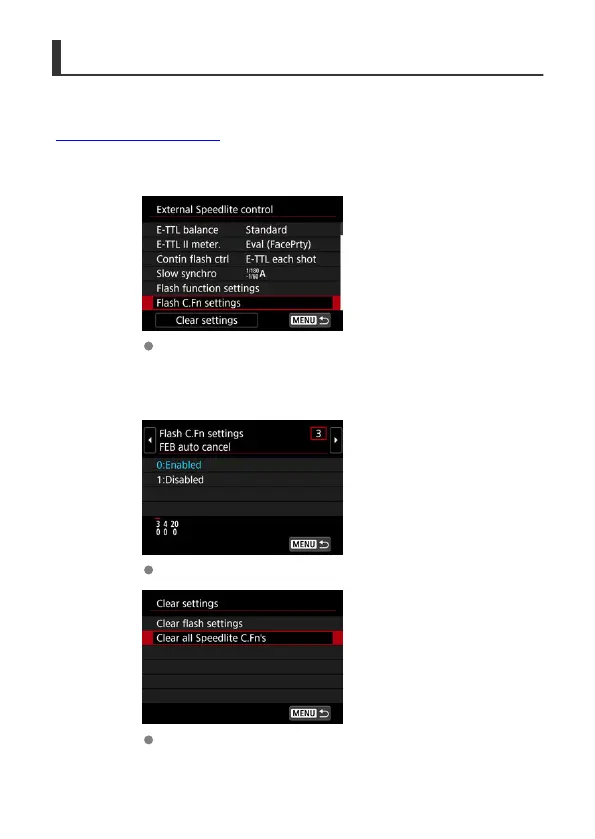
You can set Custom Functions for the transmitter from the camera menu. The information
displayed varies depending on the camera used. For details on Custom Functions, see
“Custom Function Setting Items.”
1.
Select [Flash C.Fn settings].
In [External Speedlite control], select [Flash C.Fn settings].
2.
Set the Custom Function.
Select the Custom Function number and set the function.
To clear all the Custom Function settings, select [Clear settings] and
then [Clear all Speedlite C.Fn's] in step 1.
71













 To Next Page