Stamp Printing
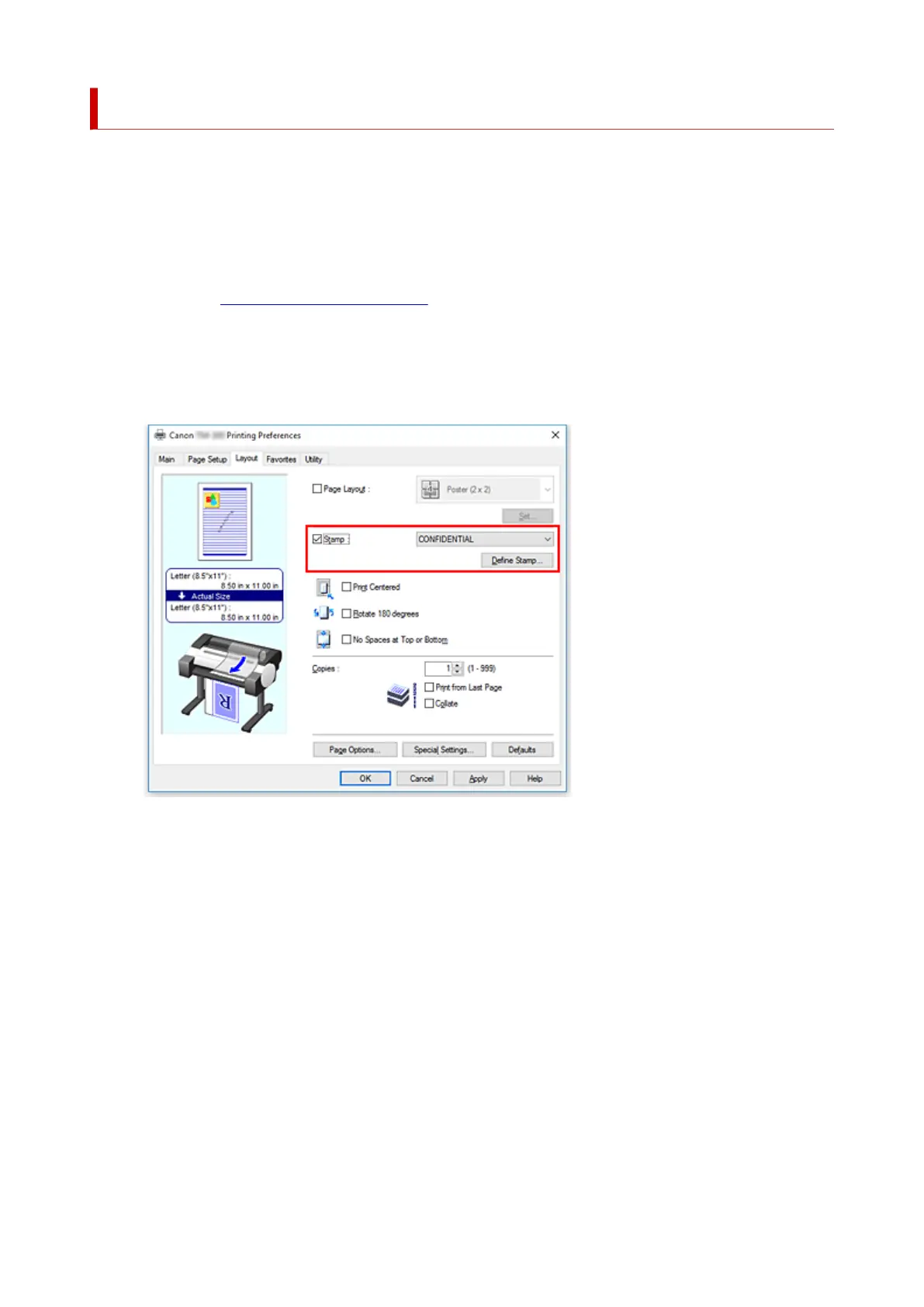
The Stamp function allows you to print a stamp text or a bitmap over or behind document data. It also
allows you to print date, time and user name.
"CONFIDENTIAL," "IMPORTANT," and other stamps that are used often in companies are pre-registered.
The procedure for printing with a stamp is as follows:
1.
Open the printer driver setup window
2.
Select stamp
On the Layout tab, select the Stamp check box, and then select the stamp to use from the list.
The current settings are displayed in the settings preview on the left side of the Layout tab.
3.
Complete the setup
Click OK.
When you execute print, the data is printed with the specified stamp.
577






 To Next Page