Changing the Print Options
You can change the detailed printer driver settings for print data that is sent from an application software.
Check this check box if part of the image data is cut off, the paper source during printing differs from the
driver settings, or printing fails.
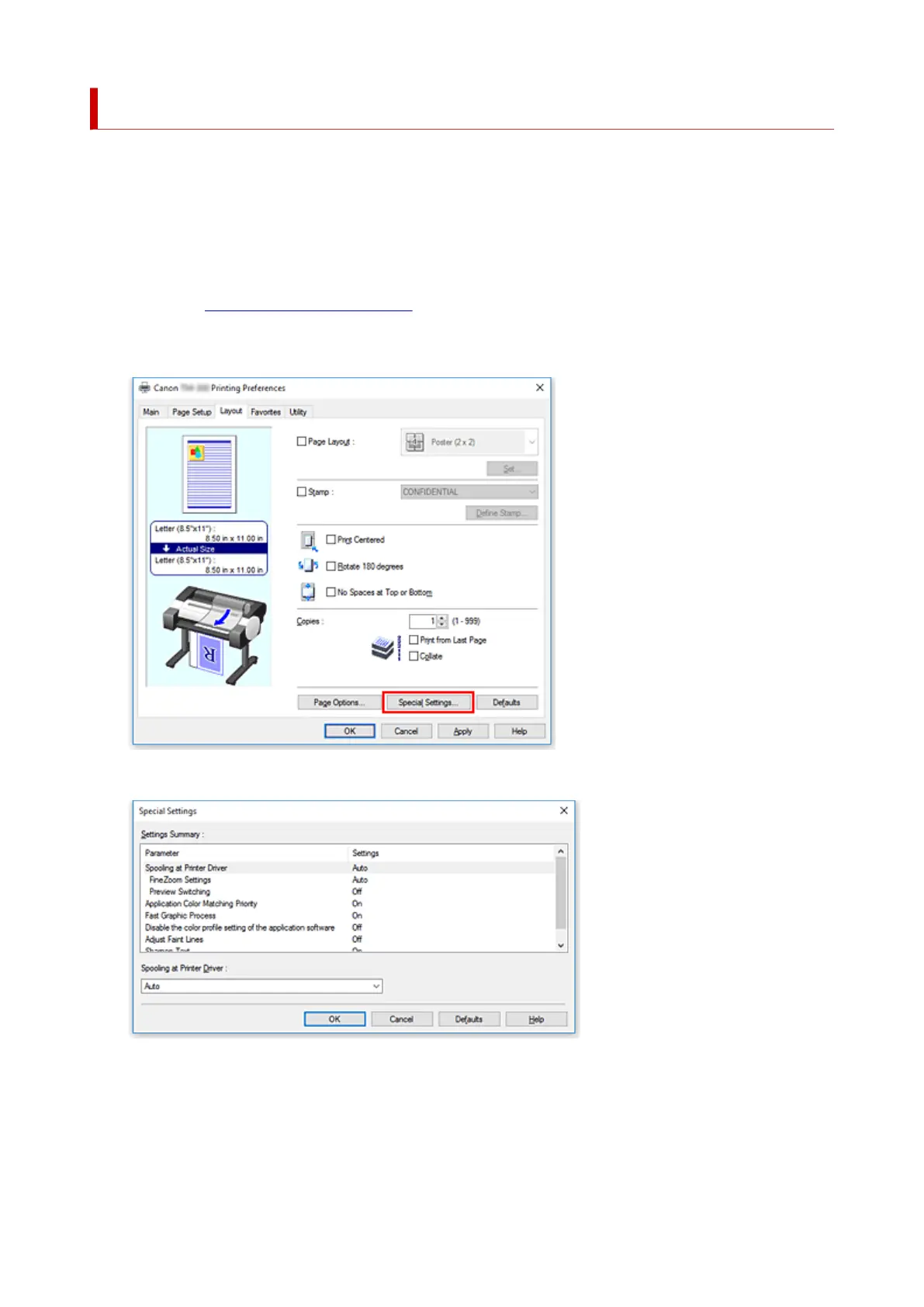
The procedure for changing the print options is as follows:
1.
Open the printer driver setup window
2.
Click Special Settings... on the Layout tab
The Special Settings dialog box opens.
3.
Change the individual settings
If necessary, change the setting of each item, and then click OK.
The Layout tab is displayed again.
596






 To Next Page