Setting Items for Sending Faxes
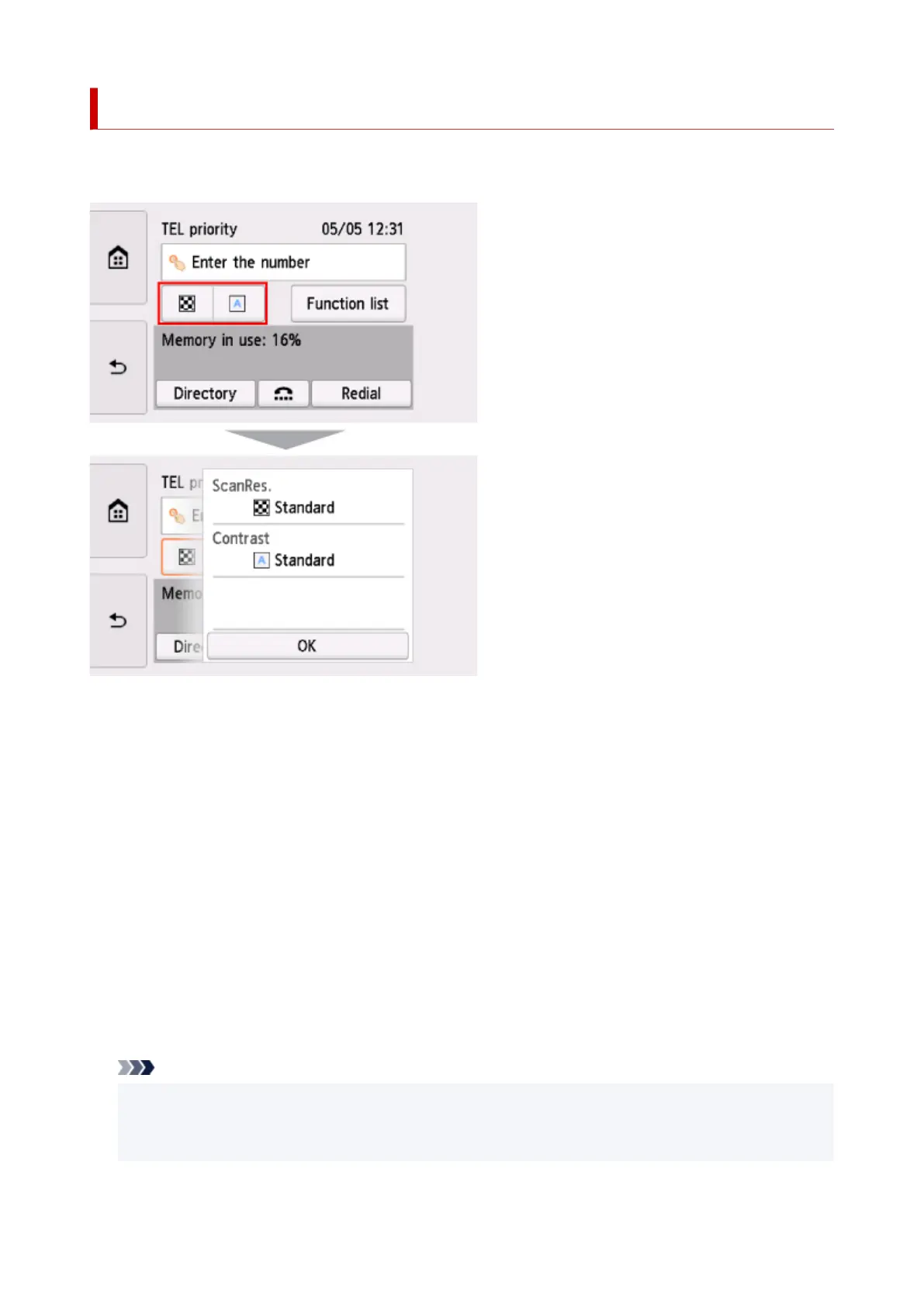
You can change the send settings such as the scan contrast or the scan resolution on the Fax standby
screen.
Select to change the send settings.
• ScanRes.
The following settings of the scan resolution are selectable.
Standard
Suitable for text-only documents.
Fine
Suitable for fine-print documents.
Extra fine
Suitable for detailed illustration or fine-print quality documents.
If the recipient's fax device is not compatible with Extra fine (300 x 300 dpi), the fax will be sent in
the Standard or Fine resolution.
Photo
Suitable for photographs.
Note
• When sending a color fax, documents are always scanned in the same resolution (200 x 200 dpi).
The image quality (compression rate) is determined by which scan resolution is selected, except
that Extra fine and Photo provide the same image quality.
• Contrast
413




 To Next Page