Removing Jammed Paper from Rear Side
Important
• The printer cannot be turned off while it is sending or receiving a fax, or when the received fax or the
unsent fax is stored in the printer's memory.
Turn off the printer after making sure it has completed sending or receiving all the faxes. Do not unplug
when turning off the printer.
If you unplug the power cord, all the faxes stored in the printer's memory are deleted.
Note
• If paper becomes jammed during printing and you need to turn off the printer to remove it, tap Stop on
the printer's touch screen to stop the printing before you turn off the printer.
1.
Make sure you have unplugged the power cord.
2.
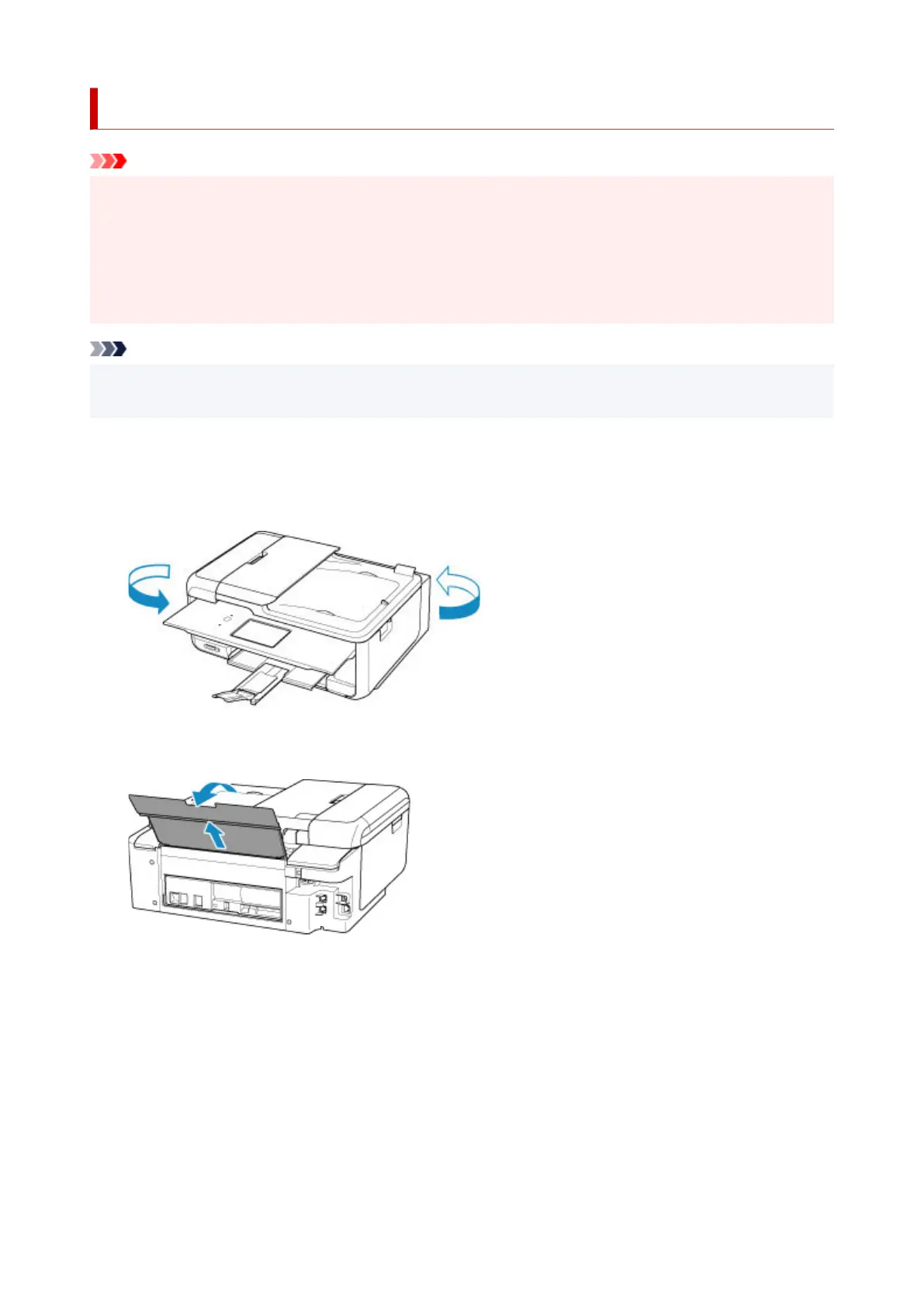
Rotate printer so that rear side of printer faces toward you.
3.
Open rear tray cover and then pull up paper support.
4.
Detach rear cover.
Pull out the rear cover.
554




 To Next Page