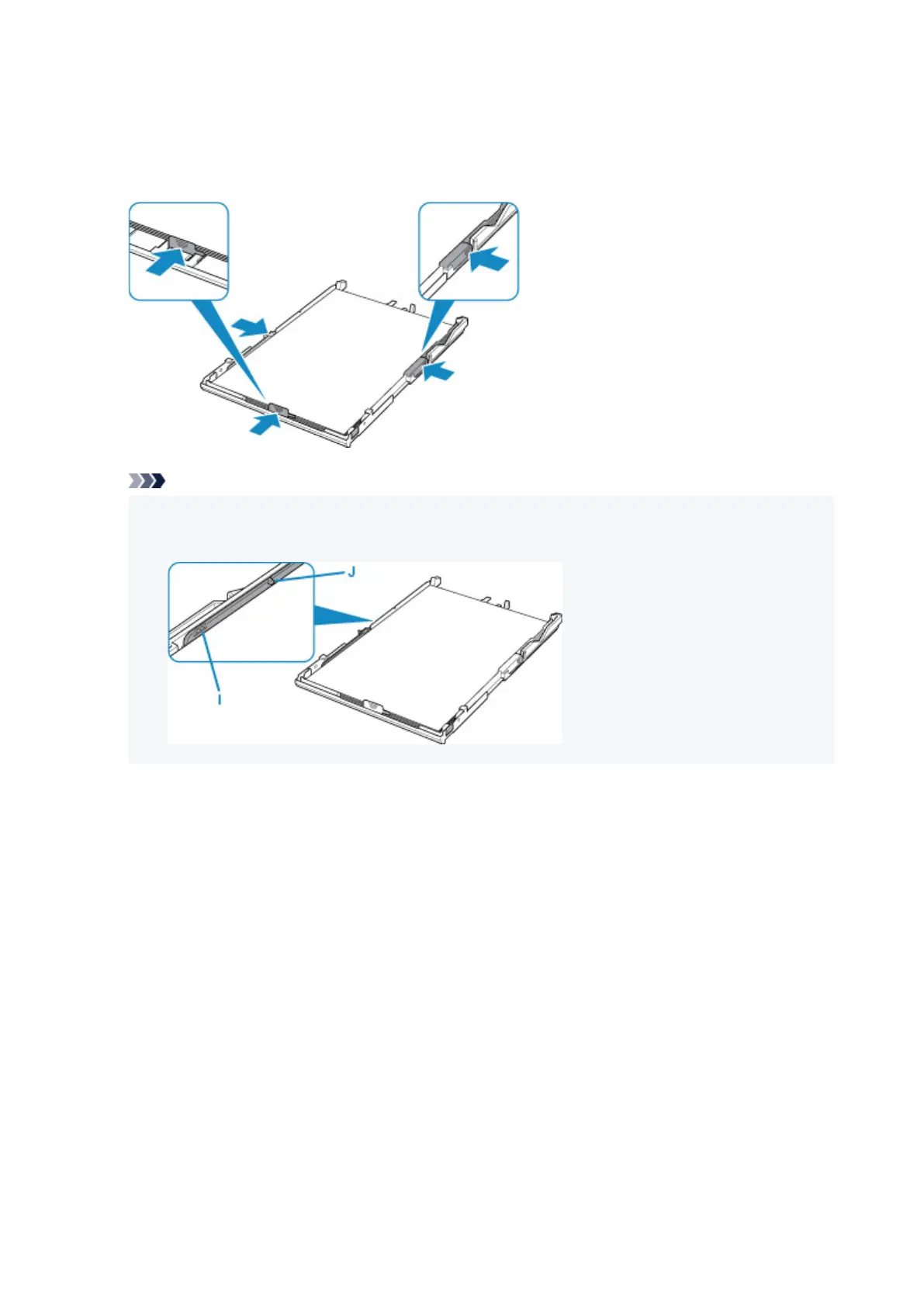
Align paper guide with where it clicks into place.
8. Slide right paper guide to align it with paper stack.
Do not slide the paper guide too hard against the paper. The paper may not be fed properly.
Note
• Do not load sheets of paper higher than the load limit mark (I).
• Keep the paper stack height below the tabs (J) of the paper guides.
9.
Mount cassette cover and insert cassette into printer.
Push the cassette into the printer until it stops.
86




 To Next Page