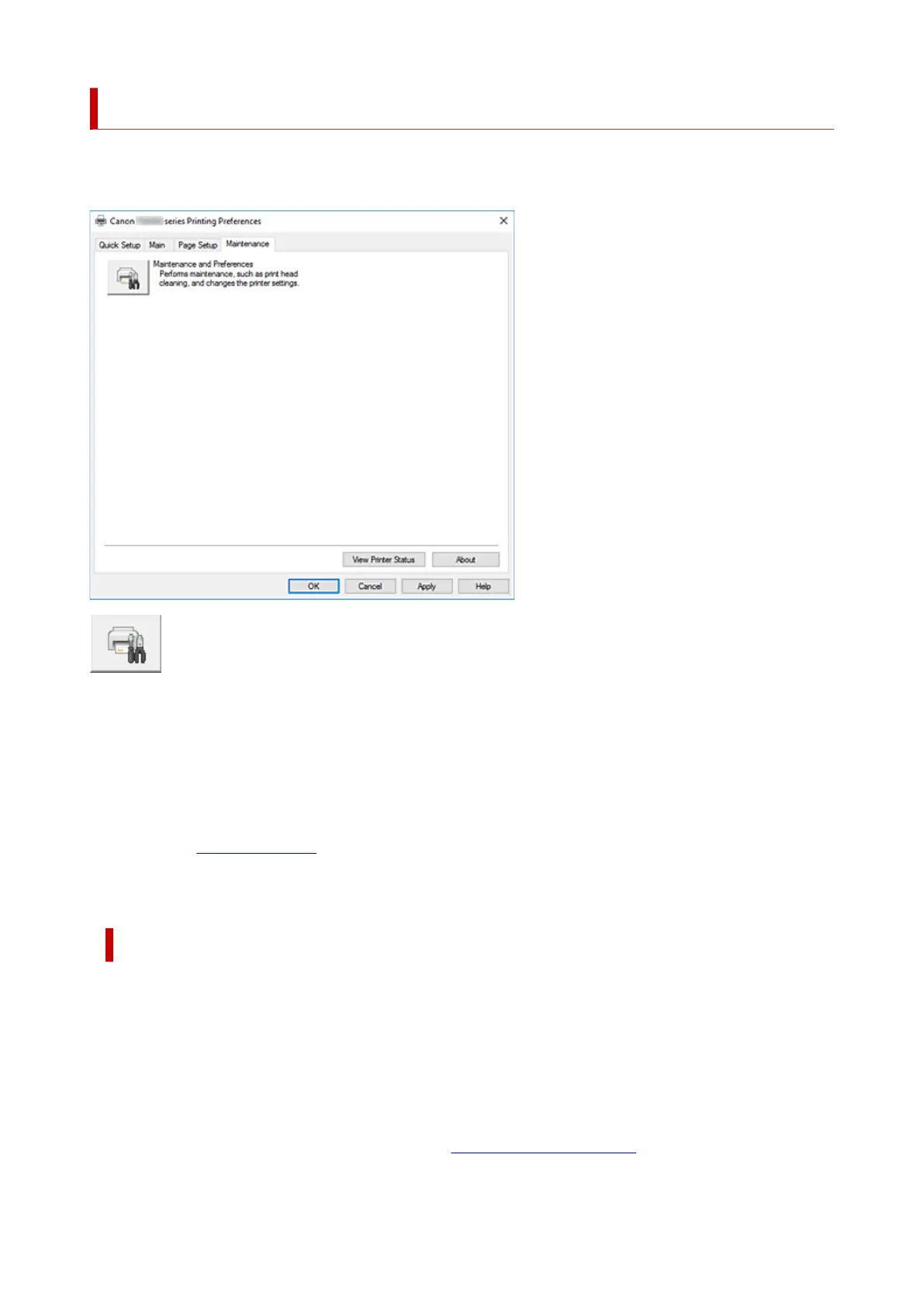
Maintenance Tab Description
The Maintenance tab allows you to start the Canon IJ Printer Assistant Tool or check the status of the
printer.
Maintenance and Preferences
Canon IJ Printer Assistant Tool is started.
You can perform printer maintenance or change the settings of the printer.
View Printer Status
Starts the Canon IJ Status Monitor.
Perform this function when you want to check the printer status and how a print job is proceeding.
About
Opens the About dialog box.
The version of the printer driver, plus a copyright notice, can be checked.
In addition, the language to be used can be switched.
About dialog box
When you click About, the About dialog box is displayed.
This dialog box displays the version, copyright, and module list of the printer driver. You can select the
language to be used and switch the language displayed in the setup window.
Modules
Lists the printer driver modules.
Language
Specifies the language you wish to use in the printer driver setup window.
261





 To Next Page