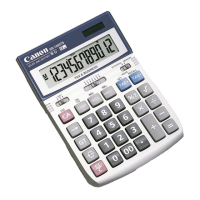
TX-1210E
https://global.canon/calmanual
When the calculator is functioning erratically due to
electromagnetic interference or electrostatic
discharge, use the tip of a ball point pen
(or similar sharp object) to press the [RESET]
button on the back of the calculator.
After resetting, be sure to set the
tax and conversion rate again.
RESETTING THE CALCULATOR
(Recall Grand Total)
(Recall Grand Total)
(Clear Grand Total)
(Recall Memory)
(Clear Memory)
E-IM-3260
INSTRUCTIONS
BEDIENUNGSANLEITUNG
INSTRUCTIONS
INSTRUCCIONES
ISTRUZIONI
INSTRUÇÕES
BRUGERVEJLEDNING
INSTRUKTIONER
OHJEET
INSTRUCTIES
ИНСТРУКЦИЯ
EN
DE
FR
ES
IT
PT
NL
DA
FI
SV
RU
SPECIFICATIONS
Power Source : Solar cell and alkaline battery (LR54 x 1)
Operating Temperature : 0ºC to 40ºC
Dimension : 126mm (W) x 175mm (L) x 30mm (H)
Weight : 172 g
(All specifications are subject to change without notice)
SPEZIFIKATIONEN
Stromversorgung: Solarzelle und Alkaline-Batterie (LR54 x 1)
Betriebstemperatur: 0 ºC bis 40 ºC
Abmessungen: 126 mm (L) x 175 mm (B) x 30 mm (H)
Gewicht: 172 g
(Änderungen ohne vorherige Ankündigung möglich)
FRANÇAIS
SPÉCIFICATIONS
Alimentation électrique : Cellule solaire et pile alcaline (LR54 x 1)
Température de fonctionnement : De 0ºC à 40ºC
Dimensions : 126 mm (L) x 175 mm (I) x 30 mm (H)
Poids : 172 g
(Sujet à changement sans préavis)
ESPAÑOL
ESPECIFICACIONES
Alimentación eléctrica: Batería solar y alcalina (LR54 x 1)
Temperatura de funcionamiento: de 0 ºC a 40 ºC
Dimensiones: 126mm (L) x 175mm (An.) x 30mm (Al.)
Peso: 172g
(Sujeto a cambios sin previo aviso)

 Need help?
 General
 Weight and Dimensions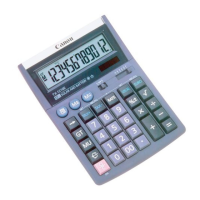

 To Next Page