Saving Print Jobs in Personal Job Boxes
To save print jobs in personal job boxes, configure the printer driver.
Configuring Printer Driver (Windows)
1.
Open printer properties dialog box.
1.
How to Open the Printer Driver Setup Window
2.
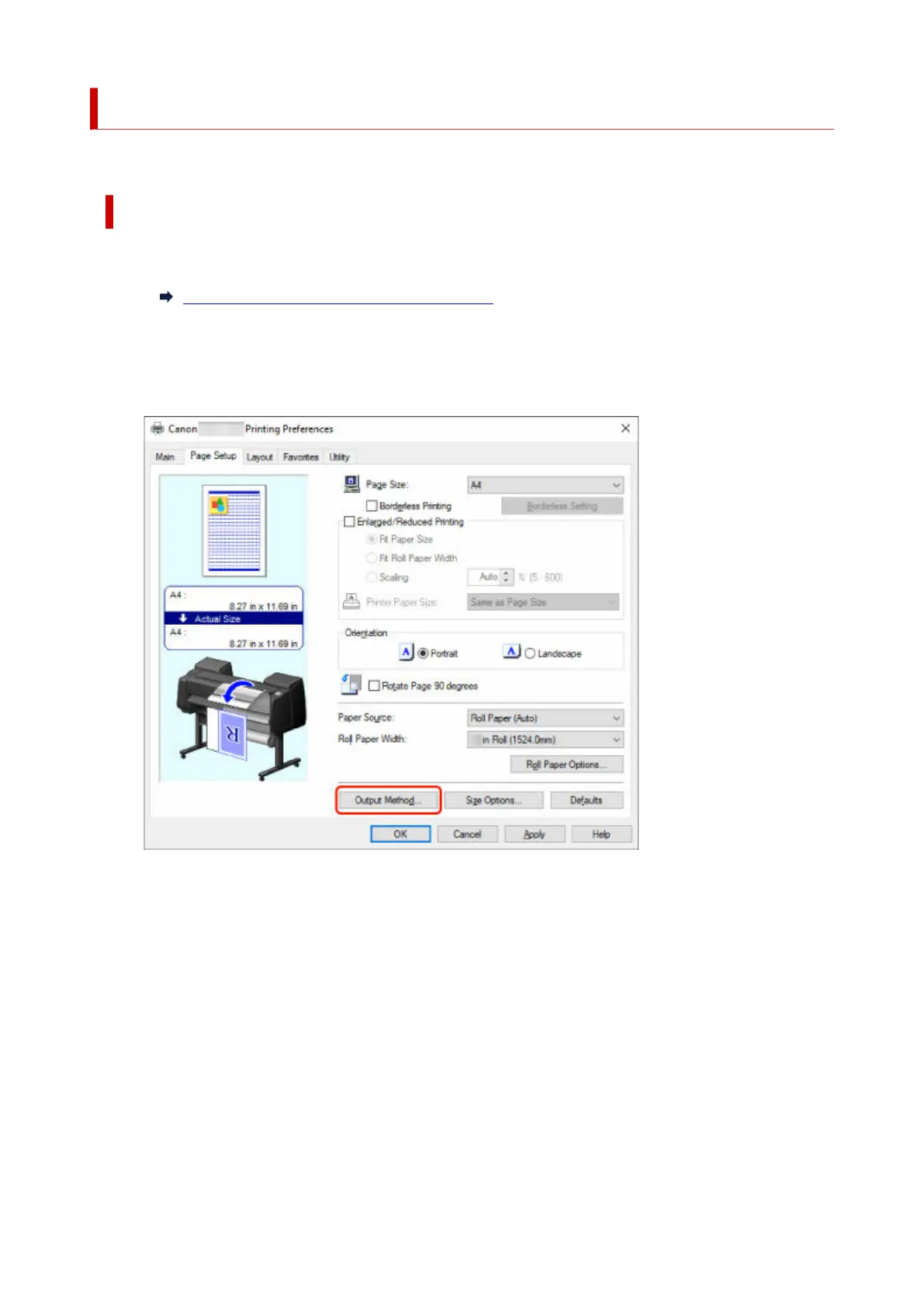
Select Page Setup tab.
2.
3.
Select Output Method.
3.
4.
Select Save in Job Box in Output Method.
4.
754



 To Next Page