EasyManua.ls Logo

Canon TX - Page 16

Canon TX
44 pages
Print Icon
To Next Page IconTo Next Page
To Previous Page IconTo Previous Page
Loading...
The
preset
aperture
ring
cannot
be
set
at
the
“A”
mark
when
the
FD
lens
is
attached
to
the
TX.
=
Refer
to
page
35
concerning
the
depth
of
the
field.
When
an
FD
lens
without
the
lock
lever
is
used
and
manual
control
of
aperture
is
required,
turn
the
automatic/manual
aperture
lever
of
the
lens
counter-
clockwise
until
it
is
automatically
locked.
The
aperture
can
be
opened
or
closed
by
turning
the
preset
aperture
ring.
For
releasing
the
lever,
turn
it
clockwise.
When
using
the
lens
attached
to
the
macrophoto
coupler
for
macrophotography
etc.,
set
the
automatic
aperture
lever
of
the
lens
in
the
position
for
manual
operation,
attach
the
macrohood
of
the
macrophoto
coupler
to
the
lens
mount,
and
turn
the
breech-lock
mount
ring.
16
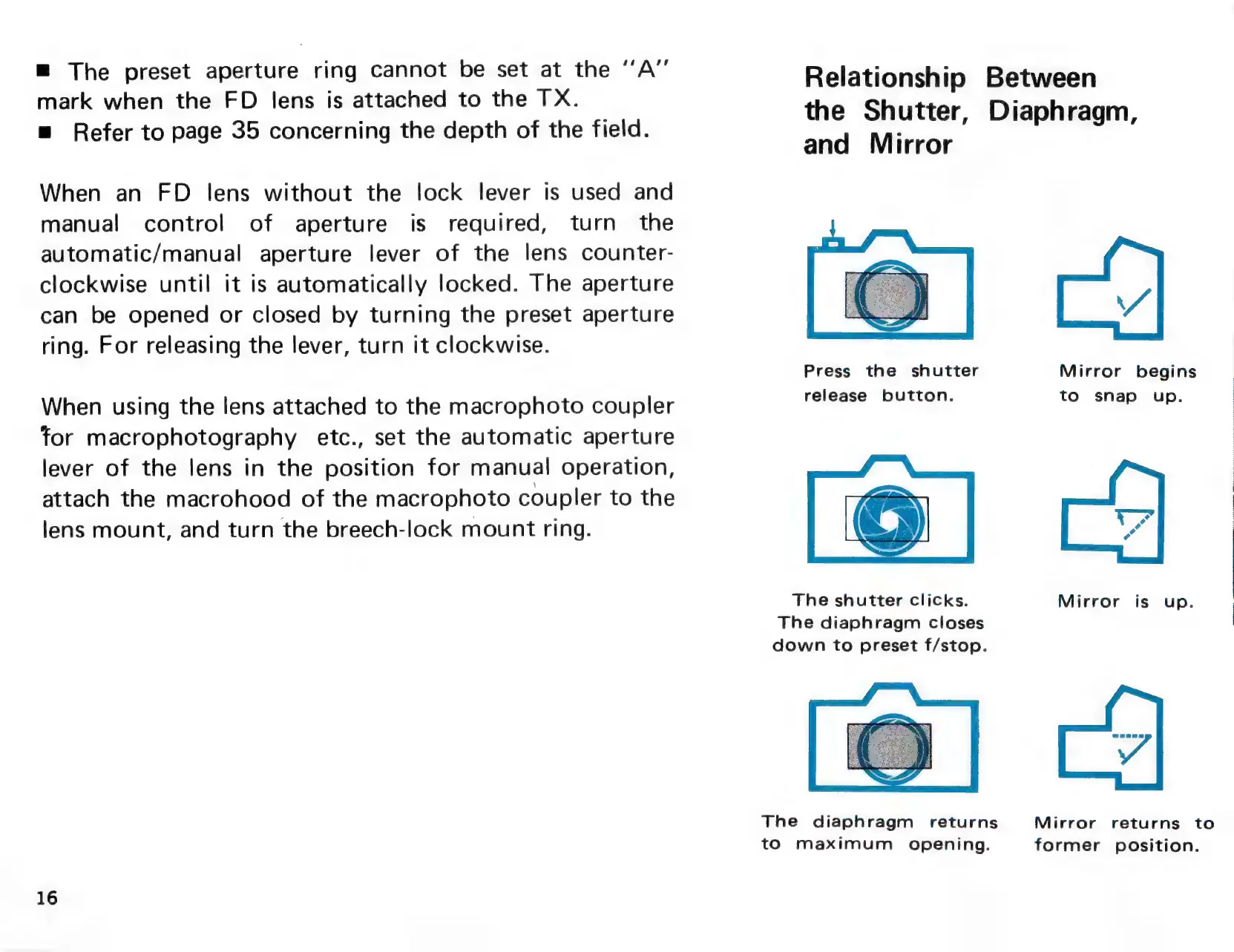
Relationship
Between
the
Shutter,
Diaphragm,
and
Mirror
Press
the
shutter
Mirror
begins
release
button.
to
snap
up.
The
shutter
clicks.
Mirror
is
up.
The
diaphragm
closes
down
to
preset
f/stop.
The
diaphragm
returns
Mirror
returns
to
to
maximum
opening.
former
position.

Related product manuals