EasyManua.ls Logo

Canon TX - Page 18

Canon TX
44 pages
Print Icon
To Next Page IconTo Next Page
To Previous Page IconTo Previous Page
Loading...
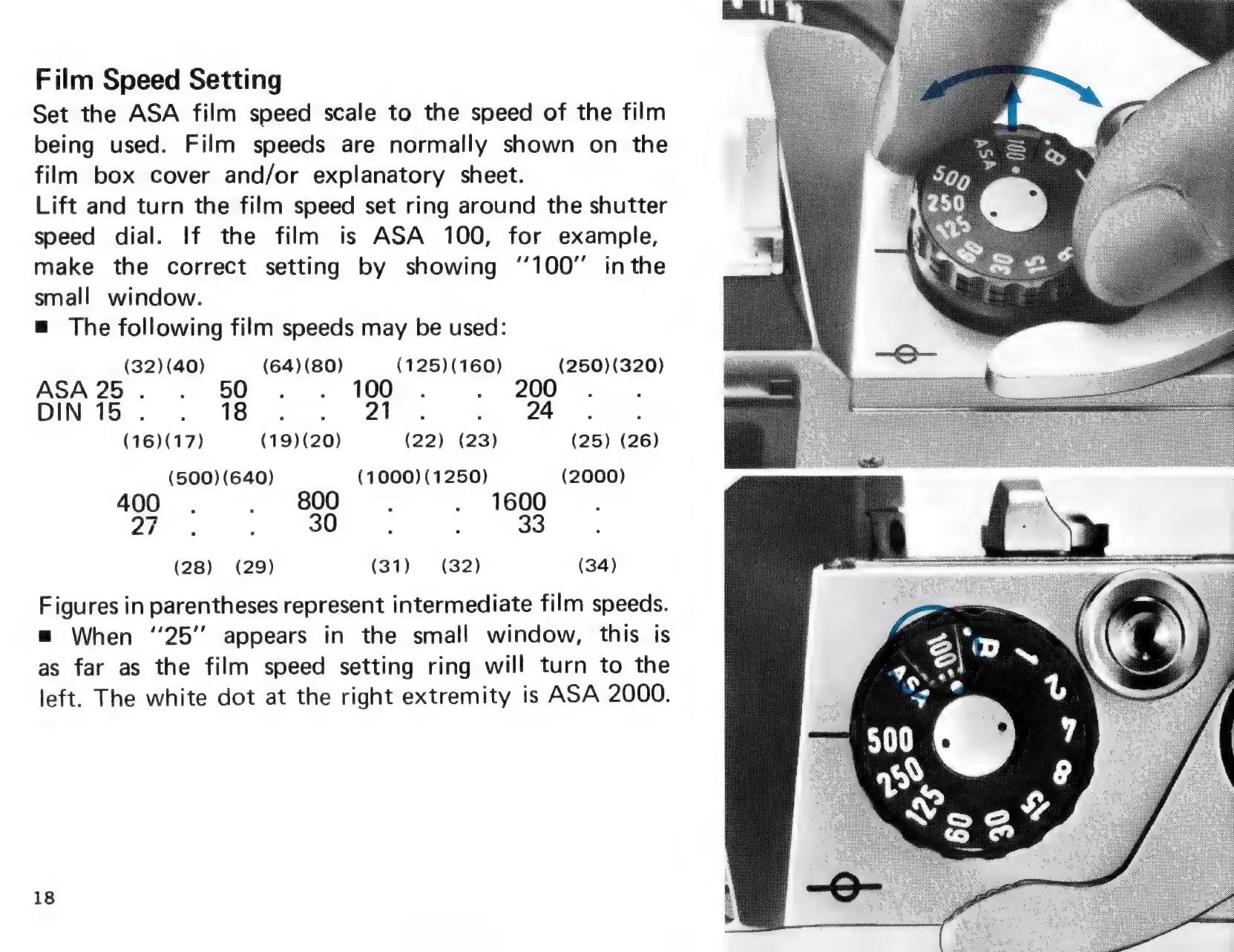
Film
Speed
Setting
Set the
ASA
film
speed
scale
to
the
speed
of
the
film
being
used.
Film
speeds
are
normally
shown
on
the
film
box
cover
and/or
explanatory
sheet.
Lift
and
turn
the
film
speed
set
ring
around
the
shutter
speed
dial.
If
the
film
is
ASA
100,
for
example,
make
the
correct
setting
by
showing
‘100’
inthe
small
window.
=
The
following
film
speeds
may
be
used:
(32)
(40)
(64)(80)
(125)
(160)
(250)(320)
ASA25.
.
50
.
.
100
.
.
200
DIN15.
.
18
. .
21.
.
24
(16)(17)
(19)(20)
(22)
(23)
(25)
(26)
(500)
(640)
(1000)
(1250)
(2000)
400
.
.
800,
.
1600
ya
:
30
,
:
33
(28) (29) (31)
(32) (34)
Figures
in
parentheses
represent
intermediate
film
speeds.
=
When
“25”
appears
in
the
small
window,
this
is
as
far
as
the
film
speed
setting
ring
will
turn
to
the
left.
The
white
dot
at
the
right
extremity
is
ASA
2000.
18

Related product manuals