Viewer for PC Settings
3
47
Registering and Changing the Server
The camera server can be registered beforehand and thereafter you can access the server simply by
selecting it from the registered servers. The procedures for registering and changing camera server
are described below.
Procedure
Adding to a list
The camera server can be registered during connection by clicking the “Register connected
site” button or choosing “Register Site” in the File menu. If the site is currently not
connected, it can be registered following the procedure below:
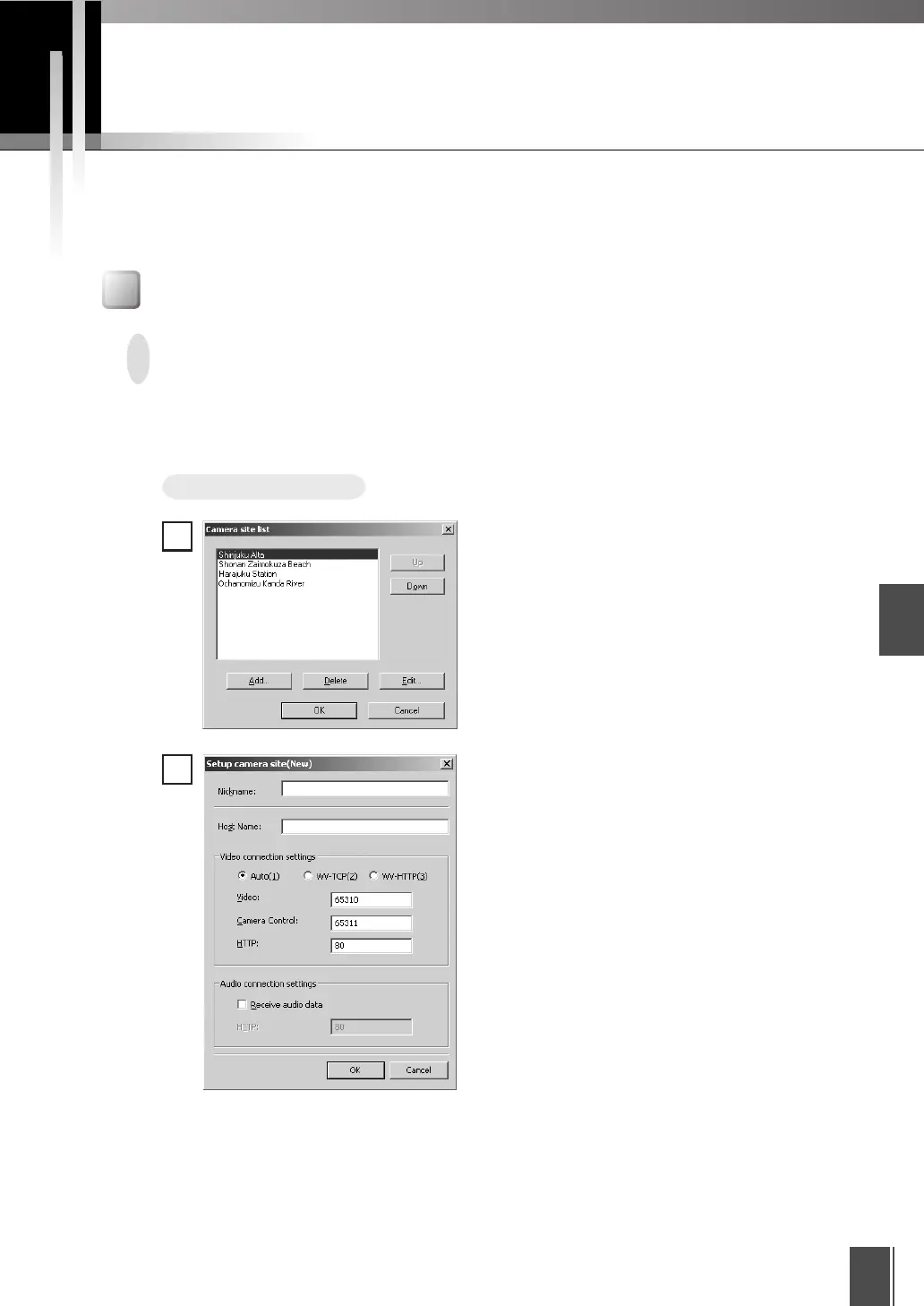
Choose “Camera Site List” from the
“View” menu. When the camera site list
appears, click Add.
■ Nickname
Any name can be given to the camera server being registered.
■ Host Name
Specify the IP address of the camera server.
The “Setup camera site” dialog box
appears. Enter each item and click “OK”
to add a camera server to the list.
1
2
Registering in a Camera Site List










 To Next Page