16
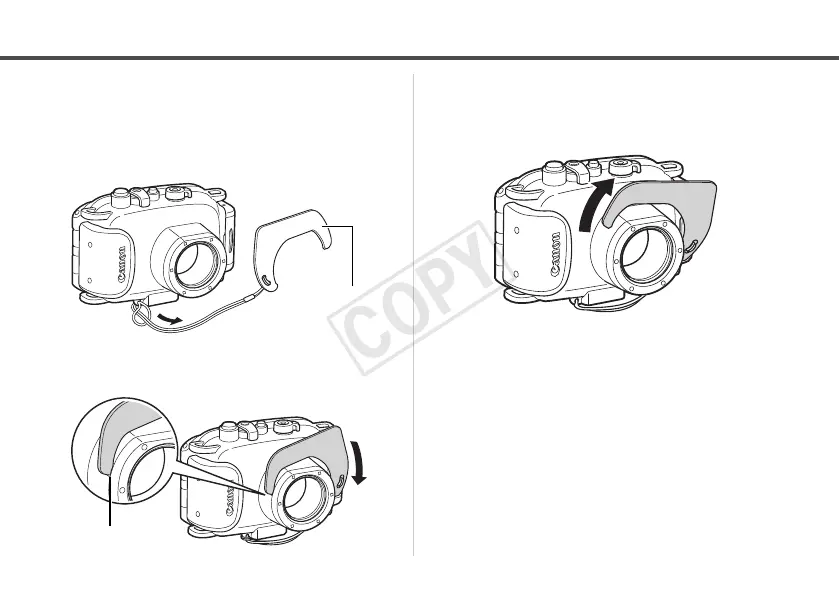
Attaching the Diffusion Plate
1 Pass the cord through the cord
mount, and then thread the
diffusion plate onto the cord.
2
Insert the tip of the diffusion plate
into the indentation to attach it.
Removing the Diffusion Plate
Grip the diffusion plate and detach it by lifting it off
in the direction shown by the arrow.



 To Next Page