Need help?
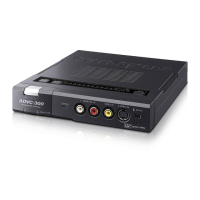
Do you have a question about the Canopus ADVC-300 and is the answer not in the manual?
Highlights serious risks and specific health warnings related to product use.
Critical safety instructions for operating the product in various environments and conditions.
Important cautions regarding product handling, setup, and maintenance to prevent damage or harm.
Details features like D1 output, SECAM compatibility, software, and locked audio.
Identifies and describes front panel components and their functions.
Details the function of SW1 DIP switches for various mode settings.
Details the function of SW2 DIP switches for video and audio settings.
Step-by-step guide to entering and adjusting image and sound quality settings.
How to connect and operate Picture Controller 300 on a Windows computer.
How to connect and operate Picture Controller 300 on a Macintosh computer.
Provides a table of common symptoms and their corresponding causes and actions.
 General
| Brand | Canopus |
|---|---|
| Model | ADVC-300 |
| Category | Media Converter |
| Language | English |

 To Next Page