MAP1 IP Configuration Page 4 of 12
July 2021 • Rev. 1.2
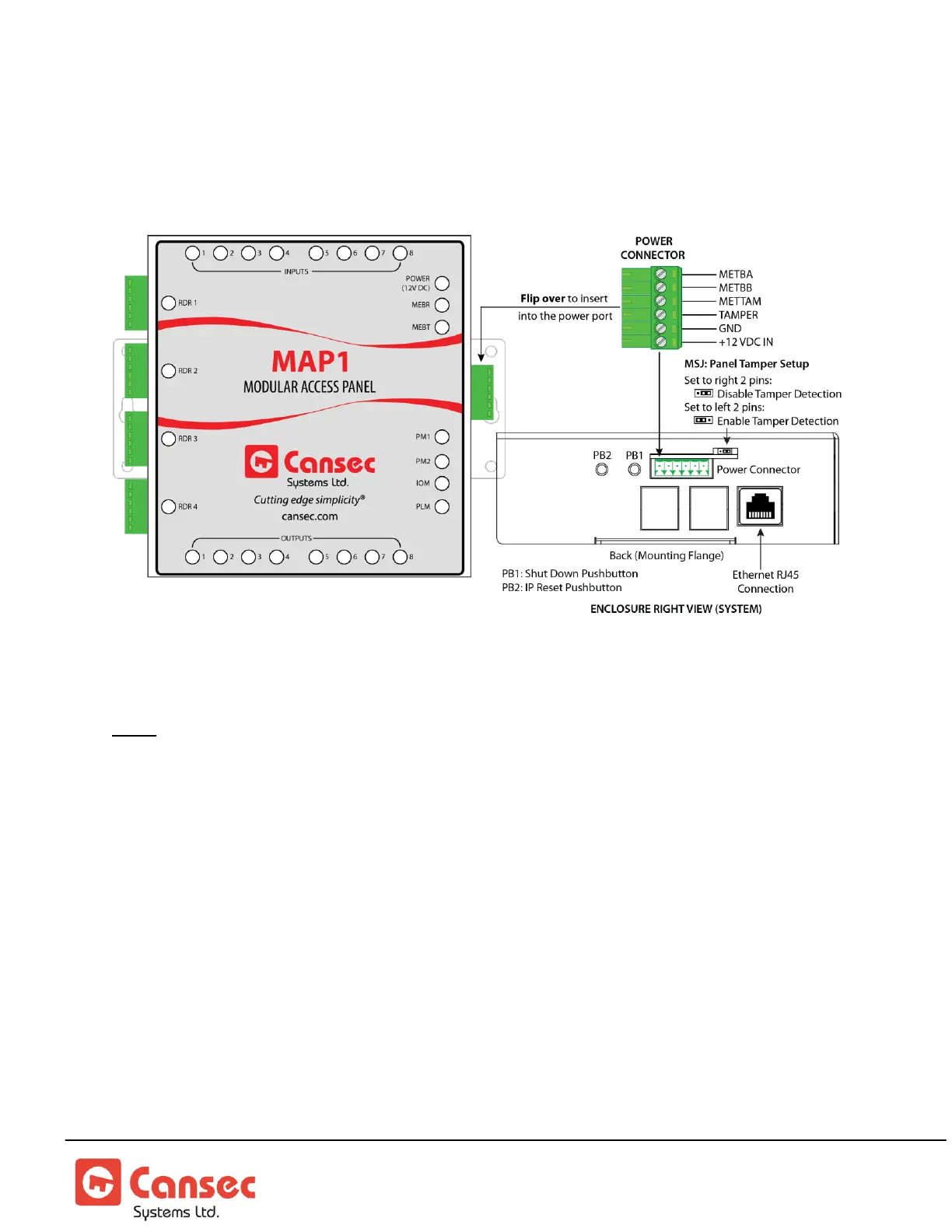
MAP1 Front View
Software IP Configuration Tool
Note: The new controller is factory set to acquire an IP address automatically (DHCP mode
enabled) and is highly recommended. If the IP address of the MAP1 controller needs to be
set or reset to factory default, follow instructions below.
1. Power on and plug the MAP1 controller to the network with a DHCP server
available.
2. Install and launch MAP1 IP Configuration Tool from your computer. This tool is
available from the First Access Express software installation package, but also
available as its own separate installation package which can be downloaded from
www.cansec.com/downloads.



 To Next Page