MAP1 IP Configuration Page 7 of 12
July 2021 • Rev. 1.2
USB IP Configuration Tool
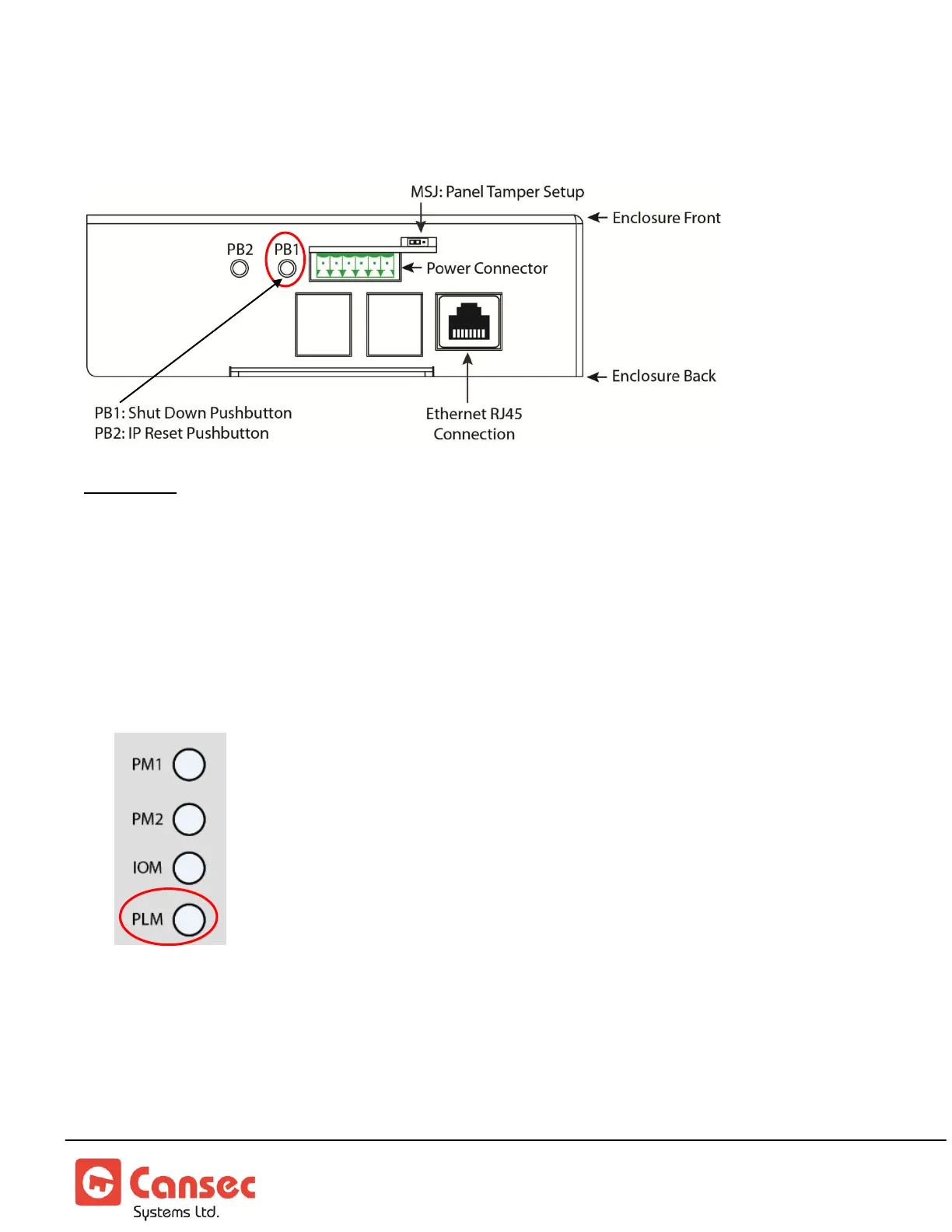
Important: Shutdown Push Button (PB1) must be used to avoid data corruption on the MAP1
controller.
1. If the MAP1 controller is powered on, press and hold the PB1 button, using a small
screw driver or a paper clip, for a period of 5 to 8 seconds and proceed to step 2.
Otherwise, proceed to step 4.
2. When the PLM LED on the front of the MAP1 controller begins a rapid flash, release
the Shutdown PB1 button.
3. Wait until the MAP1 does a complete shutdown, indicated by all MAP1 LEDs going to
the OFF state (except the Power LED) then unplug the power connector.
4. Insert a FAT32 formatted USB flash drive into an available USB connector on the
MAP1 controller.



 To Next Page