33
DEMO FUNCTION
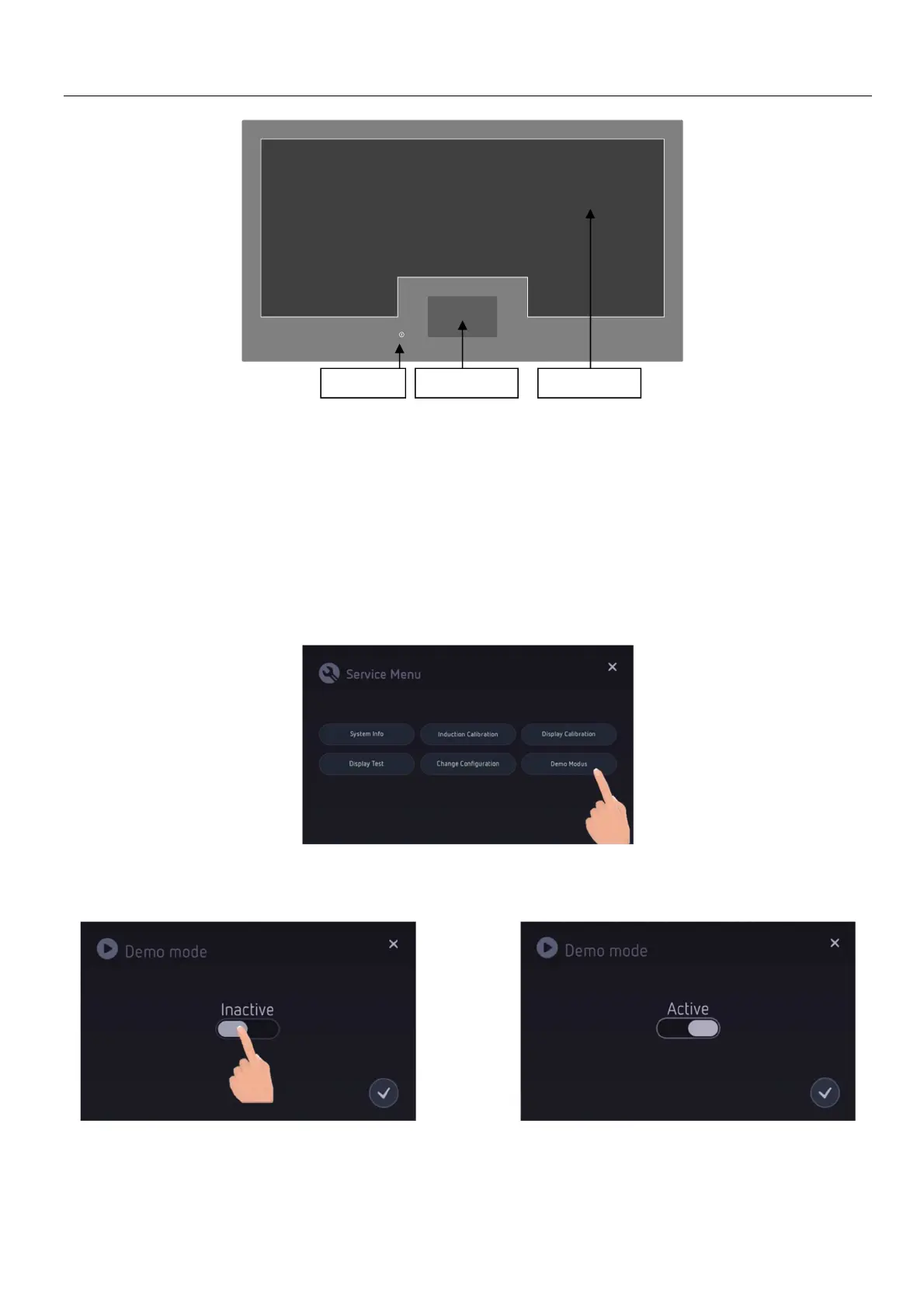
To activate the Demo Function, you must enter the Service Menu.
A. Disconnect the hob from the electrical network.
B. Reconnect the hob to the electrical network, but DO NOT switch the hob on using the On/Off key.
C. Once reconnected to the electrical network, within 2 minutes complete the procedure explained in
D & E below.
To enter the service menu the following sequence has to be done within 10 seconds
D. Press the On/Off key 3 times in a row within 3 seconds.
E. Then press and hold the On/Off key for 4 seconds.
The Service Menu screen opens:
F. Select “Demo Modus”.
G. Then use the toggle button and switch from “Inactive” to “Active”.
H. Confirm the settings by selecting the tick icon.
The user is navigated back to the service menu.
I. Close the service menu by pressing on the 'X' in the top right-hand corner.
The hob is now ready to be used in Demo mode.
Control panel
On/Off key
Cooking area



 To Next Page