Instruction manual CM130
24
Please keep this instruction manual for future reference
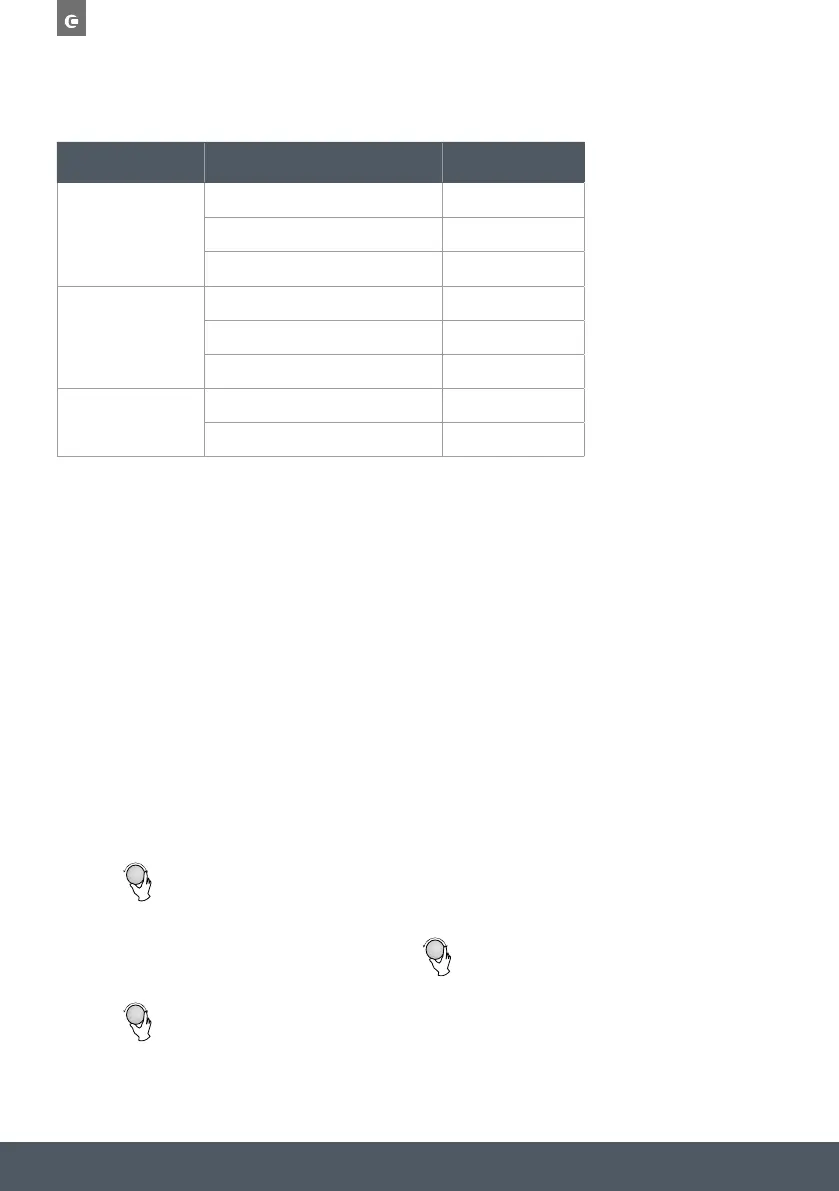
MENU
WEIGHT DISPLAY
A-6
FISH
250g 250
350g 350
450g 450
A-7
BEVERAGE
1 cup (120ml) 1
2 cups (240ml) 2
3 cups (360ml) 3
A-8
POPCORN
50g 50
100g 100
MULTI STAGE COOKING:
Two cooking stages can be set. If one stage is defrosting, it should be put in the first stage. The
buzzer will ring once after each stage and the next stage will begin.
NOTE:
Auto menu and preheating cannot be set as one of the multi stage options.
EXAMPLE:
If you want to defrost food for 5 minutes and then cook with 80% microwave power for 7
minutes, operate it as the following:
› Press “Weigh/Time/Defrost” twice, and the oven will display “dEF2”.
› Turn “
Operation Instructions
1) Press " " once, the screen display "P100".
2) Turn " " to adjust the hour figures, the input time should be within 0--23.
3) Press " ", the minute figures will flash.
3) Press " " to confirm, and the screen displays "P 80".
4) Turn " " to adjust the cooking time until the oven displays "20:00".
5) Press " " to start cooking .
1. Setting the clock
When the microwave oven is switched on, the LED will display "0:00", the buzzer will ring once.
1) Press " " twice to select clock function, the hour figures will flash.
4) Turn " " to adjust the minute figures, the input time should be within 0--59.
5) Press "
" to finish setting the clock. ":" will flash, and the time will illuminate.
Note: the step quantities for the adjustment time of the coding switch are as follow:
0---1 min : 5 seconds
1---5 min : 10 seconds
5---10 min : 30 seconds
10---30 min : 1 minute
30---95 min : 5 minutes
2) Press " " once again or turn" " to choose 80% microwave
power.
Note: 1) If the clock is not set, the oven will not function when powered up.
2) ", the oven
During the process of setting the clock, if you press "
will go back to the previous status automatically.
2.
Microwave Cooking
Press " " the LED will display "P100".Press " "
a few times or turn " "to choose the power you want, and "P100", "P80" "P50",
"P30" or "P10" will display for each added press. Then press" "
to confirm, and turn " " to set the cooking time from 0:05 to 95:00. Press
" " again to start cooking.
Example: If you want to use 80% microwave power to cook for 20 minutes, you can
operate the oven as the following steps.
Micro./Grill/Combi.
Start/+30Sec./Confirm
Start/+30Sec./Confirm
Start/+30Sec./Confirm
Stop/Clear
Start/+30Sec./Confirm
Micro./Grill/Combi.
Micro./Grill/Combi.
Micro./Grill/Combi.
Kitchen Timer/Clock
Kitchen Timer/Clock
Kitchen Timer/Clock
“ to select the defrost time till “5:00” display.
› Press “Micro/Grill/Combi” once, the screen display “P100”.
› Press “Micro/Grill/Combi” once again or turn “
Operation Instructions
1) Press " " once, the screen display "P100".
2) Turn " " to adjust the hour figures, the input time should be within 0--23.
3) Press " ", the minute figures will flash.
3) Press " " to confirm, and the screen displays "P 80".
4) Turn " " to adjust the cooking time until the oven displays "20:00".
5) Press " " to start cooking .
1. Setting the clock
When the microwave oven is switched on, the LED will display "0:00", the buzzer will ring once.
1) Press " " twice to select clock function, the hour figures will flash.
4) Turn " " to adjust the minute figures, the input time should be within 0--59.
5) Press "
" to finish setting the clock. ":" will flash, and the time will illuminate.
Note: the step quantities for the adjustment time of the coding switch are as follow:
0---1 min : 5 seconds
1---5 min : 10 seconds
5---10 min : 30 seconds
10---30 min : 1 minute
30---95 min : 5 minutes
2) Press " " once again or turn" " to choose 80% microwave
power.
Note: 1) If the clock is not set, the oven will not function when powered up.
2) ", the oven
During the process of setting the clock, if you press "
will go back to the previous status automatically.
2.
Microwave Cooking
Press " " the LED will display "P100".Press " "
a few times or turn " "to choose the power you want, and "P100", "P80" "P50",
"P30" or "P10" will display for each added press. Then press" "
to confirm, and turn " " to set the cooking time from 0:05 to 95:00. Press
" " again to start cooking.
Example: If you want to use 80% microwave power to cook for 20 minutes, you can
operate the oven as the following steps.
Micro./Grill/Combi.
Start/+30Sec./Confirm
Start/+30Sec./Confirm
Start/+30Sec./Confirm
Stop/Clear
Start/+30Sec./Confirm
Micro./Grill/Combi.
Micro./Grill/Combi.
Micro./Grill/Combi.
Kitchen Timer/Clock
Kitchen Timer/Clock
Kitchen Timer/Clock
“ to choose 80% microwave power.
› Press “Start/+30Sec/Confirm” to confirm, and the screen displays “P 80”.
› Turn “
Operation Instructions
1) Press " " once, the screen display "P100".
2) Turn " " to adjust the hour figures, the input time should be within 0--23.
3) Press " ", the minute figures will flash.
3) Press " " to confirm, and the screen displays "P 80".
4) Turn " " to adjust the cooking time until the oven displays "20:00".
5) Press " " to start cooking .
1. Setting the clock
When the microwave oven is switched on, the LED will display "0:00", the buzzer will ring once.
1) Press " " twice to select clock function, the hour figures will flash.
4) Turn " " to adjust the minute figures, the input time should be within 0--59.
5) Press "
" to finish setting the clock. ":" will flash, and the time will illuminate.
Note: the step quantities for the adjustment time of the coding switch are as follow:
0---1 min : 5 seconds
1---5 min : 10 seconds
5---10 min : 30 seconds
10---30 min : 1 minute
30---95 min : 5 minutes
2) Press " " once again or turn" " to choose 80% microwave
power.
Note: 1) If the clock is not set, the oven will not function when powered up.
2) ", the oven
During the process of setting the clock, if you press "
will go back to the previous status automatically.
2.
Microwave Cooking
Press " " the LED will display "P100".Press " "
a few times or turn " "to choose the power you want, and "P100", "P80" "P50",
"P30" or "P10" will display for each added press. Then press" "
to confirm, and turn " " to set the cooking time from 0:05 to 95:00. Press
" " again to start cooking.
Example: If you want to use 80% microwave power to cook for 20 minutes, you can
operate the oven as the following steps.
Micro./Grill/Combi.
Start/+30Sec./Confirm
Start/+30Sec./Confirm
Start/+30Sec./Confirm
Stop/Clear
Start/+30Sec./Confirm
Micro./Grill/Combi.
Micro./Grill/Combi.
Micro./Grill/Combi.
Kitchen Timer/Clock
Kitchen Timer/Clock
Kitchen Timer/Clock
“ to adjust the cooking time till the oven displays “7:00”.
› Press “Start/+30Sec/Confirm” to start cooking, the buzzer will sound once for the first section
and the defrosting time starts to count down. The buzzer will sound once again entering the
second section of cooking. When cooking finishes the buzzer sounds five times.


 To Next Page
 Loading...