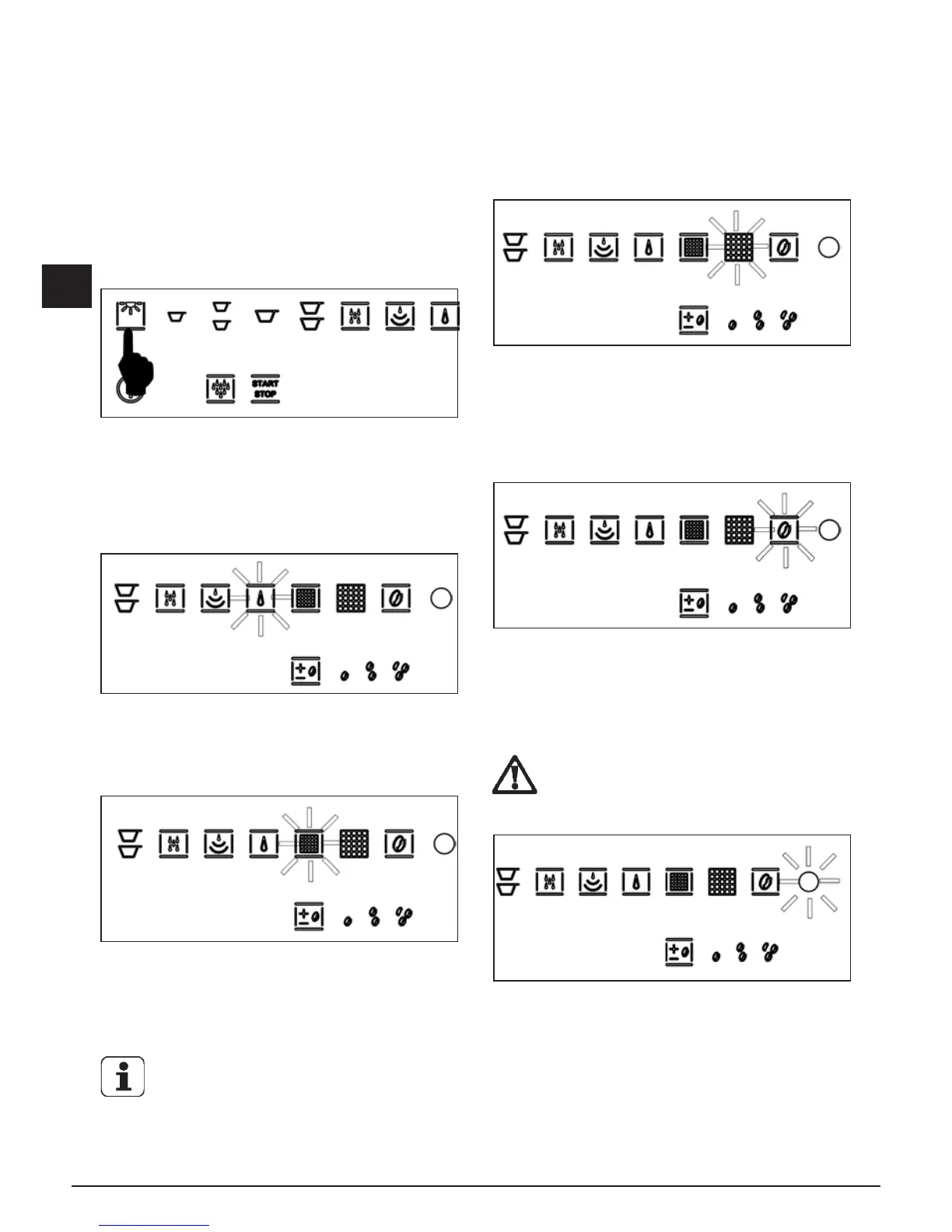
13. ILLUMINATION OF THE DISPENSING
COMPARTMENT
The machine has LEDs for illuminating the dispensing
compartment. To activate this function, just press the
light button as shown in Fig. 14.1.
The light function is only available when the machine is
on and not during standby mode.
14. WARNINGS AND ALARMS
No water warnin
The machine has a sensor that checks for water in
the tank. If there is no water, the machine turns on the
indicator light and will not work until the tank is lled.
Replace filter warning
After the machine has dispensed 80 litres of water, the
LED for the lter symbol begins to ash, Fig. 15.2. When
the quantity reaches 100 litres, the LED will turn steady
on.
We recommend that you replace the lter within
3 months from when the LED remains steady
on.
Coffee grounds warning
After 15 coffees have been dispensed, the machine
warns of the presence of grounds by turning on the
indicator light and will not work until the tray is emptied.
For emptying the tray of “used” coffee grounds see
Chapter 17 “CLEANING AND MAINTENANCE”.
Coffee probe broken warning
The machine has a function that warns you when the
coffee unit probe is broken.
When the coffee probe is not working correctly, the
relative LED ashes.
Try to turn the machine off and on.
ATTENTION: if the alarm persists, contact the
service centre.
Generic alarm warning
The generic alarm indicator lights up (Fig. 15.5) for a
variety of possible reasons:
• The automatic coffee dispensing unit is blocked;
• The movement of the automatic coffee dispensing
unit did not occur correctly;
• The door for removing the coffee grounds is open;
• The volumetric counter did not detect the passage of
water;
• The temperature probe is not working correctly.



 To Next Page