24 Instruction manual Ri7320 Please keep this instruction manual for future reference
SCREEN SAVER MODE
PURPOSE:
› This mode saves energy by switching
off all control panel lighting when the
panel is left inactive.
HOW TO USE:
› Screen Saver Mode is default to Active when you use the appliance for the first time.
› If no button is pressed within 30 seconds, when the mode is active, the lights of the control
panel will go Off.
› If you press any button when the lights of the control panel are Off, the current settings will
appear on the screen; adjustments can then be made. If you neither cancel Screen Saver
mode nor press on any button for 30 seconds the control panel will turn Off again.
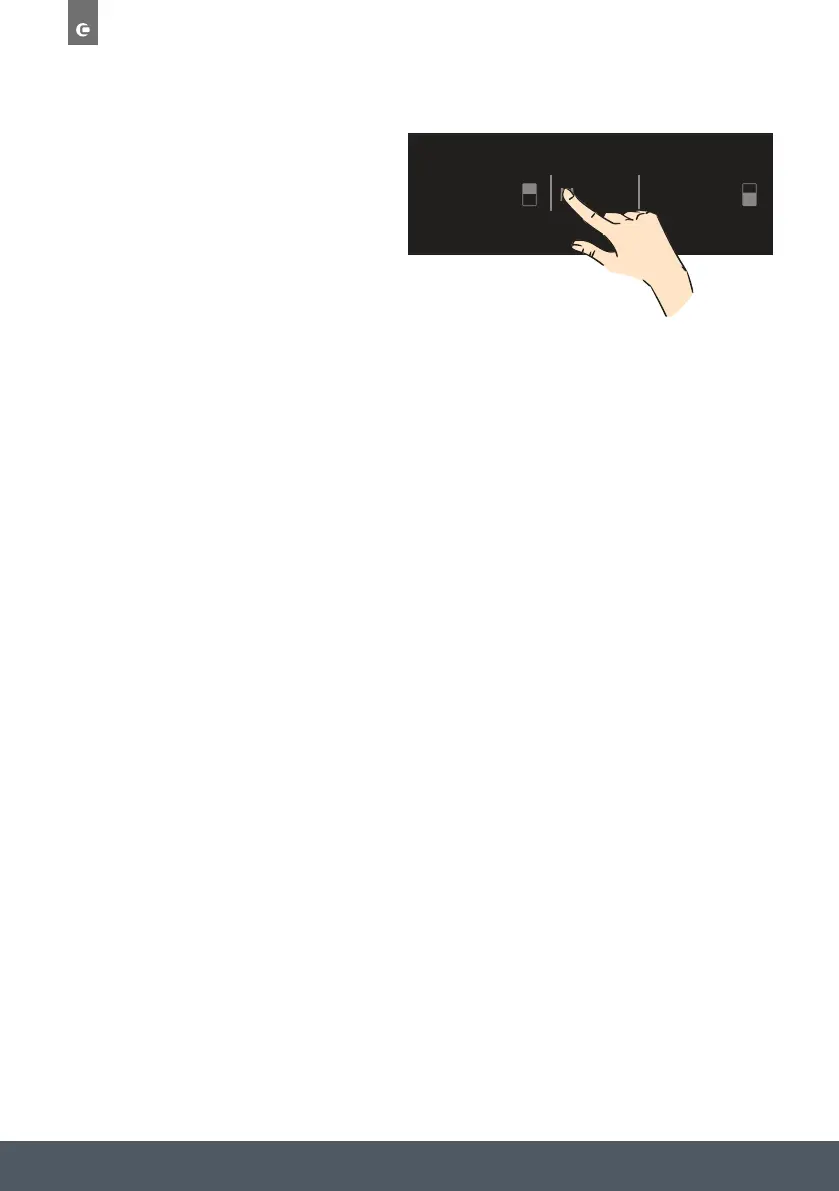
› To cancel Screen Saver mode, press the “Mode” button for 3 seconds.
› To reactivate this mode, press on the “Mode” button for 3 seconds.


 To Next Page