72
washing machine
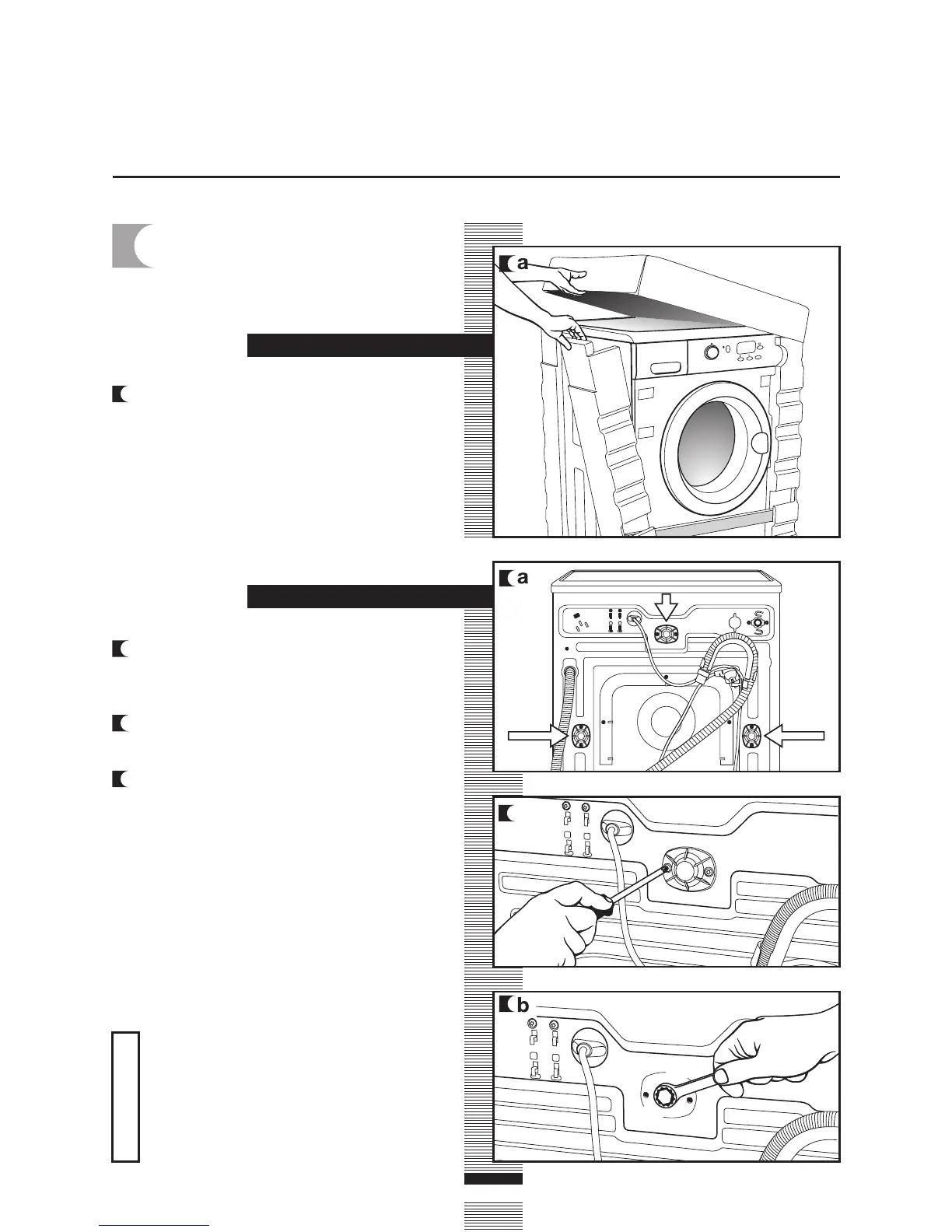
a Remove the screws holding the plastic
covers to the back of the washing
machine.
b Loosen and remove the 3 blocking
screws.
c Cover the holes with the plastic covers
you have just removed.
installation and assembly
Do not throw the blocking screws
away. You may need to move the
washing machine at a later date.
Important
a/c
a Remove the base, corner protectors and
top cover.
1
UNPACKING AND
UNBLOCKING THE
WASHING MACHINE
UNBLOCKING
UNPACKING
S
E
L
E
C
T



 To Next Page