Note: The X19 uses the most advanced chip to achieve single-ear
control of all functions. Whether you're using a single earbud (mono
mode) or two earbuds at the same time, no matter which one you
use, you can always control all functions from one earbud.
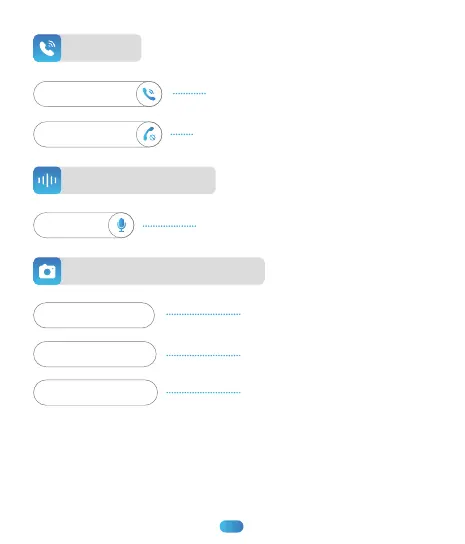
For Call
Photo/Video shooting
12
Voice Assistance
Click MFB Button Once on L/R Earbud
Long Press MFB Button 2s on L/R Earbud
Double-click MFB Button on L/R Earbud
Click “+”/“-” Once on L/R Earbud
Click “+”/“-” Once
on L/R Earbud
Click “+”/“-” Once
on L/R Earbud
End Video shooting
Start Video shooting
Photo shooting
Answer/End Call
Reject Call
Siri
(Non-Playing and Non-Calling)
(Non-Playing and Non-Calling)


 To Next Page