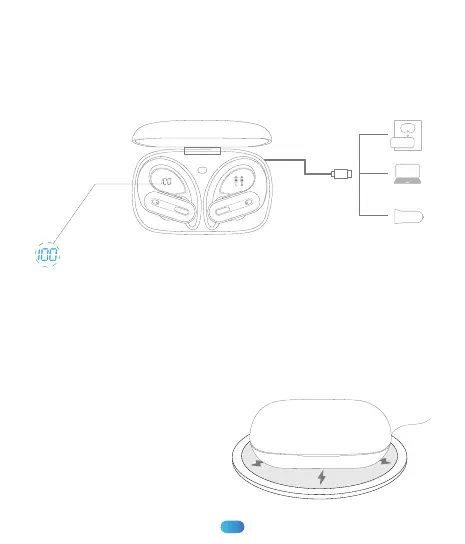
Type-C Charging
Use the provided Type-C cable with a 5V/1A adapter(NOT Included)
to charge the charging case.
During charging, the charging case power display will show the
battery in real time. The number will be displayed as “100” when fully
charged.
Wireless Charging
Just put the charging case on a wireless charging pad (NOT Included)
to charge your charging case easily.
06
If the charging case doesn’t start
to charge, please try to reposition
it.
(* We recommend you to use
wireless charging pad with Ql
certificate.)


 To Next Page