
 Need help?
Do you have a question about the CAPOXO X19 and is the answer not in the manual?
Contact email for support inquiries.
Customer support phone number and hours.
Access product information and support online.
Lists all items included in the package.
Identifies charging case components like display and port.
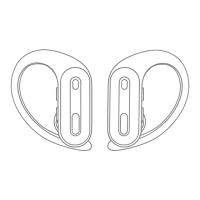
Identifies earbud components like MFB, volume buttons, and mic.
Important reminder to remove protective films before first use.
Details model, Bluetooth version, range, and battery capacity.
Warning to remove protective film for proper charging.
Process for charging earbuds and their indicators.
Description of the low battery warning system.
Information on charging the charging case.
Instructions for charging the case via Type-C cable.
Guide to wireless charging the case and troubleshooting.
How earbuds automatically power on and pair.
Steps for initial Bluetooth connection to a device.
How earbuds reconnect to previously paired devices.
Behavior when connection is lost.
Procedure for turning earbuds on using MFB button.
Procedure for turning earbuds off using MFB button.
Steps to pair with a new device after disconnecting.
Instructions for using a single earbud.
Conditions that necessitate a factory reset.
Detailed steps to perform a factory reset.
Guidance for unsuccessful reset attempts.
How to control music playback functions.
How to handle incoming and outgoing calls.
Activating voice assistant and controlling camera functions.
Note on controlling all functions from one earbud.
Explanation of Android's default volume limitations.
Guide to increasing volume via developer options.
Instructions for locating the build number on Android.
Step-by-step process to enable developer options.
How to toggle the absolute volume setting.
Disclaimer about UI differences across devices.
Statement regarding FCC rules and operating conditions.
Thank you note and contact details for support.

 To Next Page
 General