31 32
1
2
MEMO
http://daction.carmate.jp/
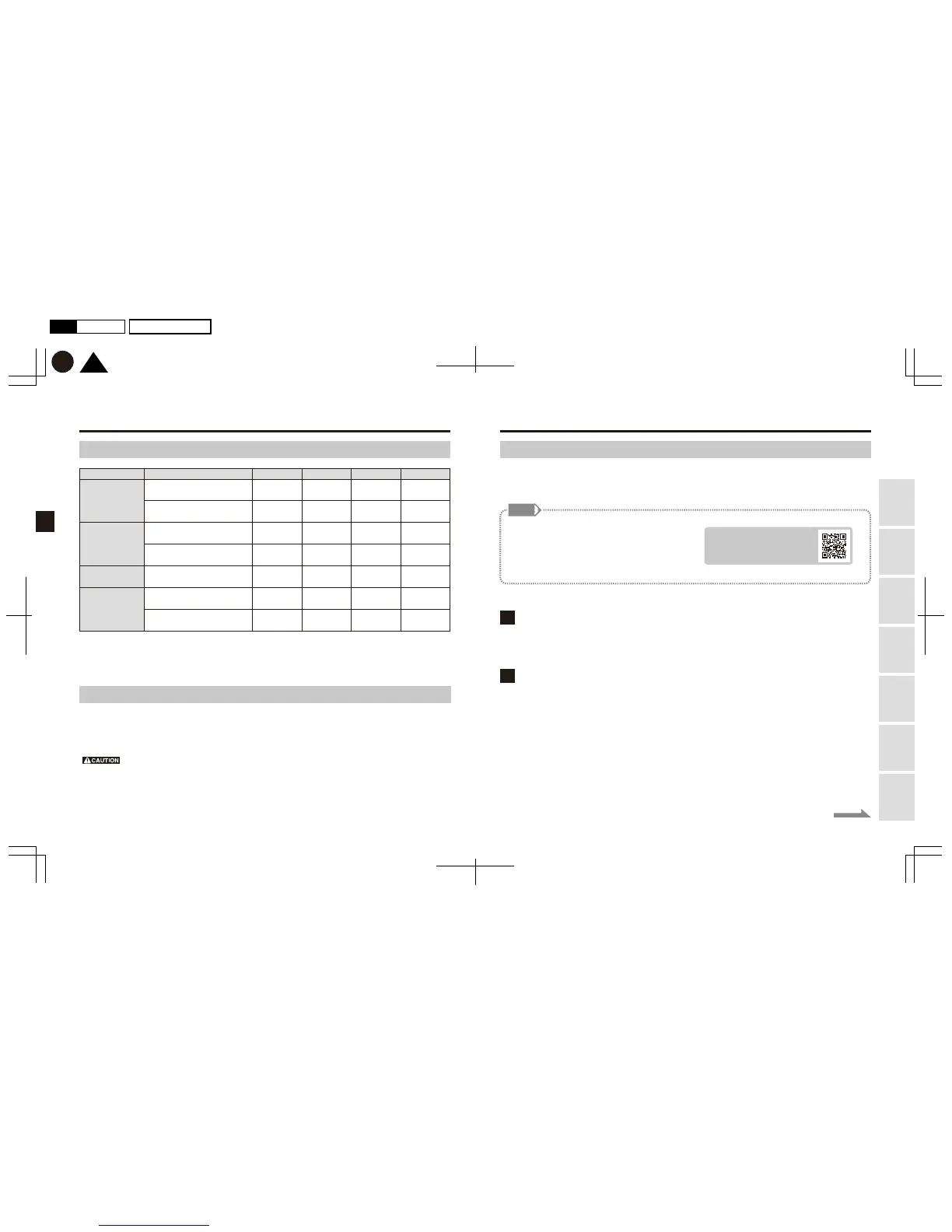
Recording modes
Manual
recording
Impact recording
+
Security recording
Continuous
recording
Still image
capture
16GB 32GB 64GB 128GBNumber of recorded pixels
Full HD equivalent
4K equivalent
Full HD equivalent
4K equivalent
Full HD equivalent
Impact/Security recording:
Full HD equivalent
Impact recording: Full HD equivalent
Security recording: 4K equivalent
55 mins
14 mins
264 images
63 images
22 mins
8 mins
2 mins
119 mins
31 mins
569 images
136 images
49 mins
19 mins
5 mins
247 mins
65 mins
1180 images
281 images
102 mins
39 mins
10 mins
504 mins
132 mins
2400 images
572 images
208 mins
80 mins
21 mins
TOP
K
P32P31
2017.01月
初
版
Mac
Illustrator
CS6
DC3000
Using
this Product
Safely Preparation Installation
Capturing
Images/Video
Viewing/Deleting
Media
Changing
Camera Settings Troubleshooting
Continued on the next page
Others
Guides for approximate recording times and number of images
Formatting the memory card
Delete all files on the memory card to optimize its folder structure.
Formatting can be done using the smartphone app.
*Formatting a memory card erases all of the files stored on it.
Back up any important data onto a storage device (such as a PC) prior to formatting.
*Ensure to format your memory card with this Product if; you are using the card for the first time, the card has
been used with other devices, or the card has been formatted on a computer.
*We recommend you format your memory cards every six months.
*The above recording times and number of images are provided for guidance only, and are not absolutely guaranteed values.
These will vary depending on the condition of use, subject, and ambient environment.
Full HD equivalent: 1440×1440/4K equivalent: 2880×2880
Upgrading the camera body
The firmware of the camera body is subject to updates due to specification changes or additional functions
being added. Check the version of your camera. If a newer version has been released, please proceed to
update the firmware.
You can check your camera version using
your smartphone app while it is wirelessly
connected to the camera body.
Check for the latest version on our website
on the right.
Downloading the latest firmware file onto your PC
Visit the above website and download the latest firmware files onto your computer’s desktop.
Extracting files
Extract the zip file you downloaded in procedure 1.


 To Next Page