11 12
●
● ●
● ●
●
●
●
●
●
TOP
K
P12P11
201702-C
2017.02月
C
版
Mac
Illustrator
CS6
DC3000
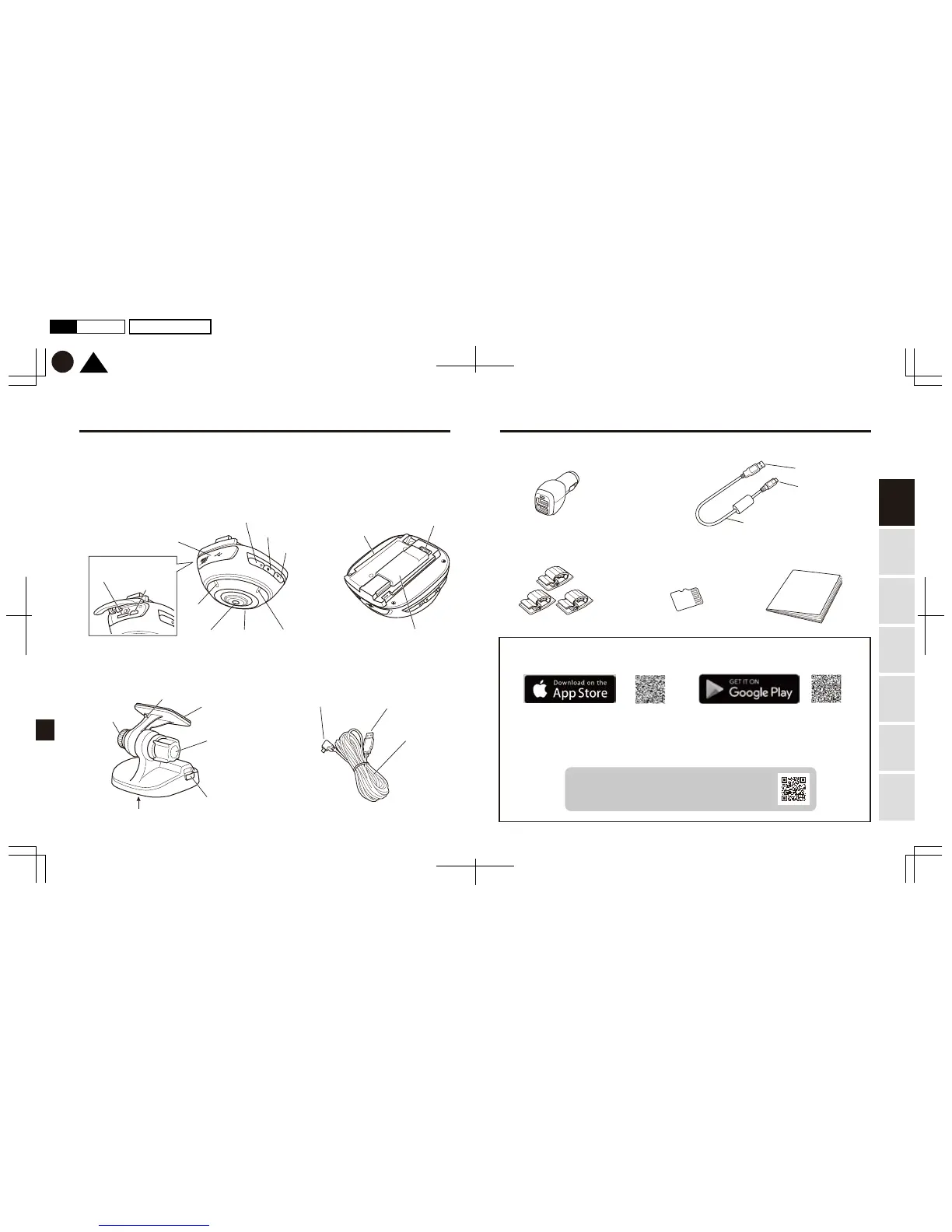
Product contents
Before use, check the Product for the following contents.
Camera body x 1
USB power socket x 1
Cable clip x 3
d’Action app for smartphone (iOS/Android)
d’Action 360 (iOS) d’Action 360 (Android)
d’Action software for PC (Windows)
Please visit our website below for the most up-to-date list of
supported devices/OS, and downloading procedures.
http://daction.carmate.jp/
Memory card x 1 Instruction manual
(this book)
Communication cable x 1
<Front side>
Record button/LED
Communication
button/LED
Slide rail portion (convex)
microSDHC 16GB
(UHS-I, Speed class 3)
Cable length: approx. 0.3 meter
2 ports, total 3.0A
Built-in
GPS antenna
portion
Terminal
Switch button/LED
Microphone
(left)
Memory card slot
Slide rail portion (concave bottom)
Release lever
microUSB connector
microUSB connector
USB connector
USB connector
Cable length:
approx. 4 meters
Cable hook
Knob I
Knob II
Sticky portion
(adhesive tape attached)
microUSB slot
Microphone
(right)
Memory LEDLens
Cover
<Bottom side>
Mount x 1 Power cable x 1
Using
this Product
Safely Preparation Installation
Capturing
Images/Video
Viewing/Deleting
Media
Changing
Camera Settings Troubleshooting


 To Next Page