Version 16.02.2010
3. Device control
3.1. Device Assignment:
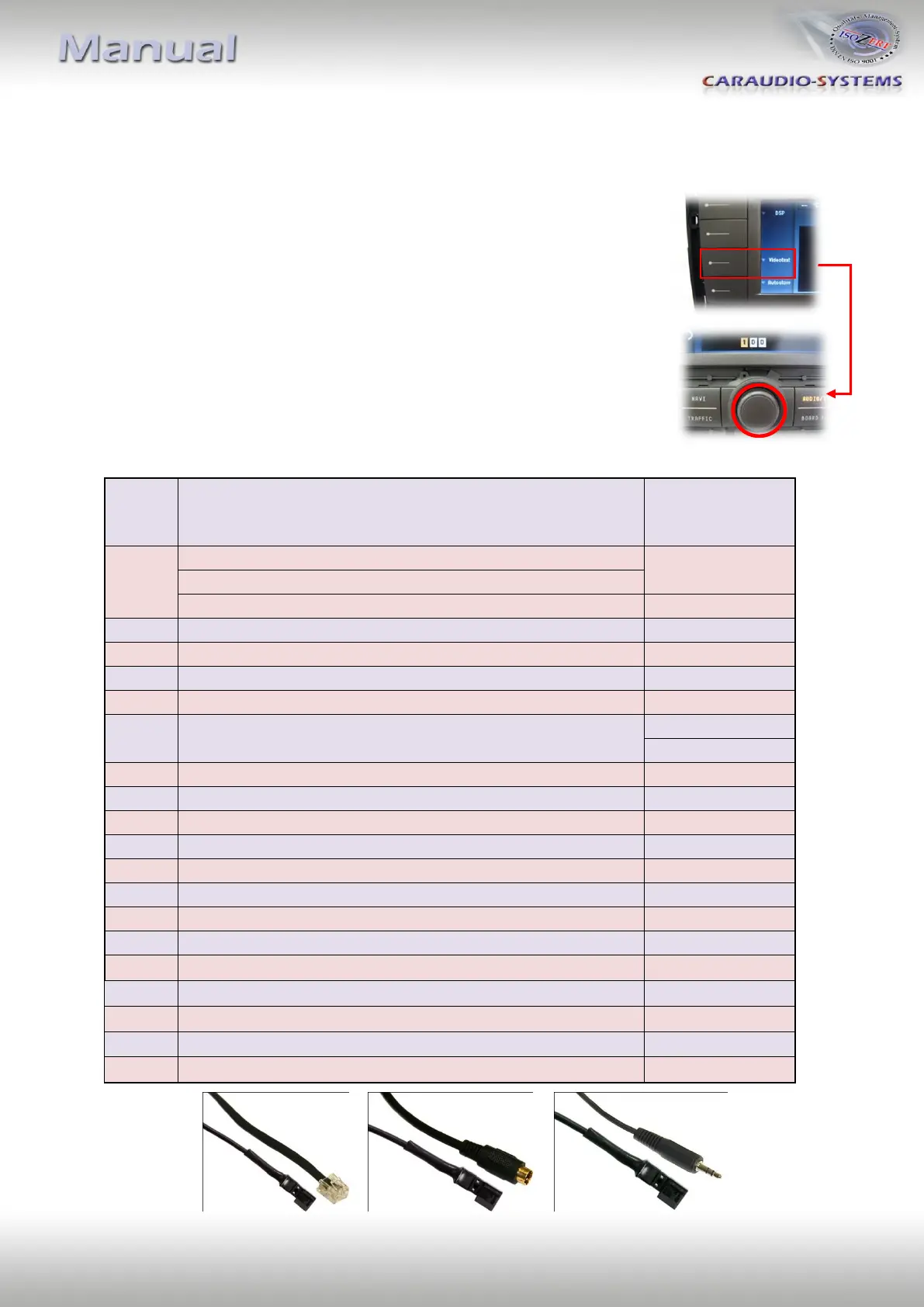
Device assignment occurs in the video text level.
Pushing the Softkey button “Videotext“ activates the video
text level.
The central knob is used to enter the three-digit device
RC Code (e.g. first device > „101“, second device > „203“).
Push the central knob to save the selected RC code.
Exit the level after RC code input by using the Softkey “Back“.
3.2. Compatible device list
DVD-Player maXXLine DVD500U, DVDMP412U,DVDMP20(U)
DVD-Player Ampire DVX100, Digitaldynamic DVP-1000, 900HD
DVB-T Tuner maXXLine DVBTD50, Dietz 1491(V)
DVB-T Tuner Ampire DVB-T 100
DVB-T Tuner DVBT-CKO, maXXLine DVBTD60, DVBTD40
DVD-Player Alpine RUE-4201
DVD-Player Alpine RUE-4158
DVBT-Tuner Alpine TUE-T150V
Vehicle-HUB Alpine VPA-B222R, Alpine RUE-4167 Audio
Vehicle-HUB Alpine VPA-B222R, Alpine RUE-4167 DVD
DVD-Wechsler 6-fach Necvox DVA-3206
Analog TV-Tuner Alpine TUE-T112P
DVD-Wechsler 6-fach maXXLine DVC62, Ampire DVC62
DVD-Player Nesa DVD-2007, DVD-1002, VST VDV-101
DVB-T Tuner Ampire DVBT200
DVB-T Tuner Clarion DTX509E NEU
DVB-T Tuner NavLinkz DVBT330, ACV, maXXline DVBTD80
DVB-T Tuner Ampire DVBT50


 To Next Page