Version 16.02.2010
3.3. Selection of the devices to be controlled:
Use the navigation system’s buttons to control the video source(s).
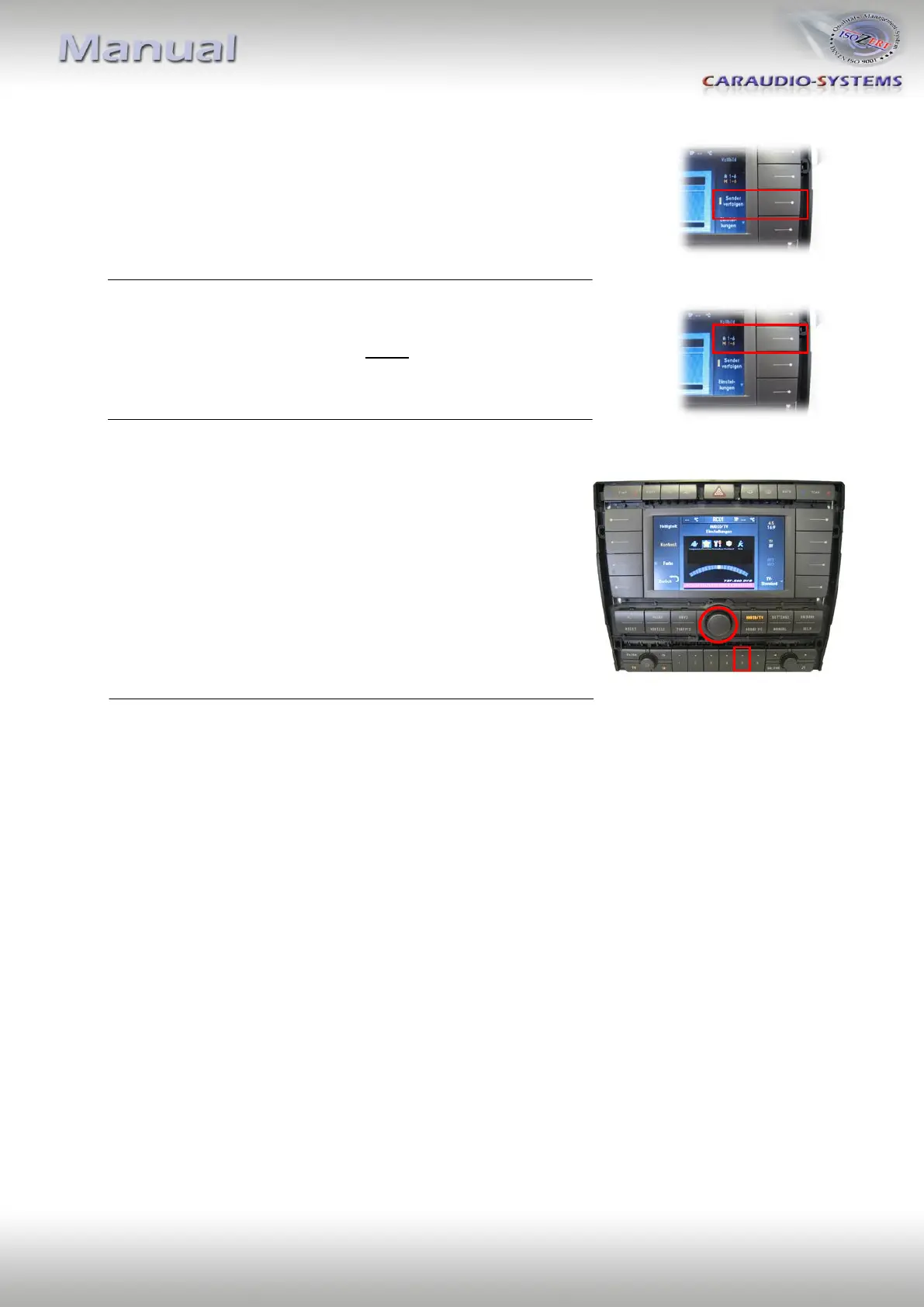
The Softkey button “Sender verfolgen“ switches between devices:
ON = Device 1 , OFF = Device 2 .
Please refer to page 10 for detailed button assignments.
In order to use the controls, level A 1-6 needs to be activated
at Softkey “A 1-6 / M 1-6“.
Video device menues are controlled via the “Settings“
level. Use the central knob to navigate “left“ / “right“
and push station button “5“ to confirm a selection.


 To Next Page