47
Smart TV CB24iTV, CB28iTV & CB32iTV | 49892, 49891 & 49890UK
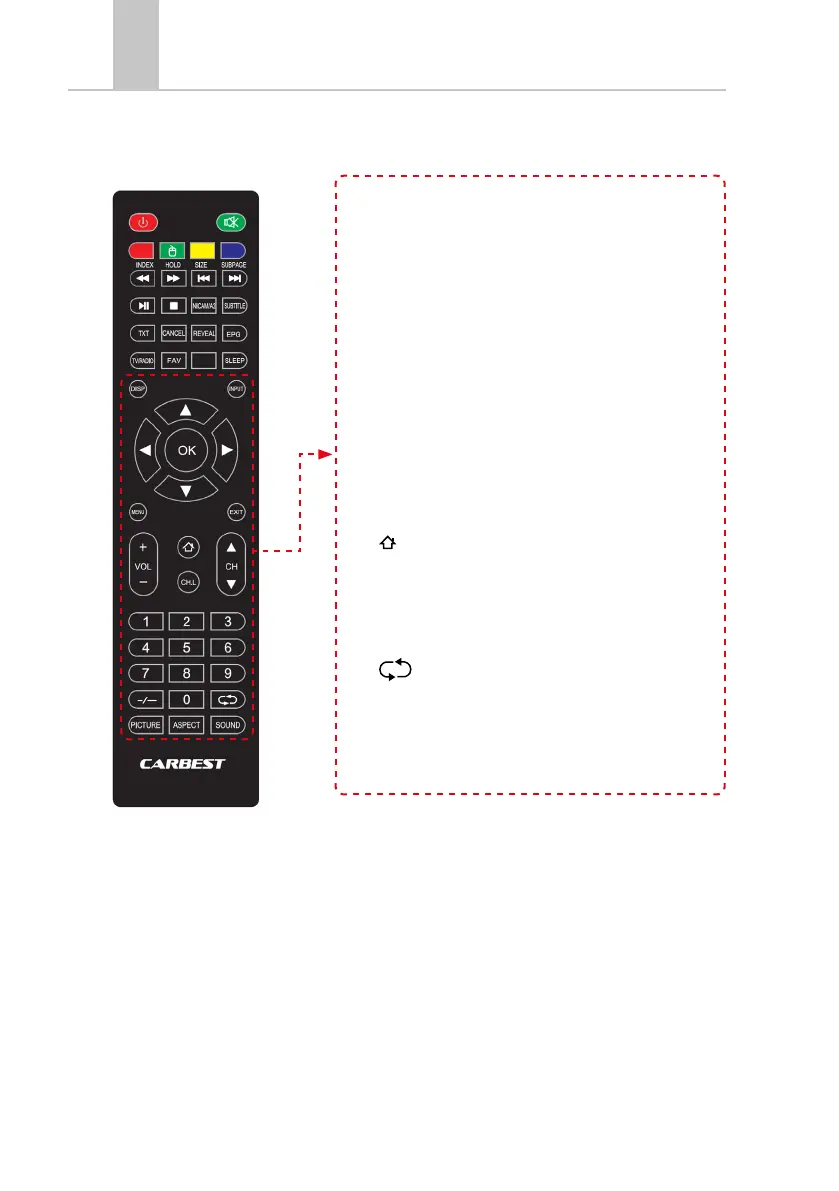
• DISP: Displays display information
• INPUT: Open input sources
• NAVIGATION KEYS:
▲ UP
▼ DOWN
t LEFT
u RIGHT
• OK: Confirm menu entries
• MENÜ: Open the Settings menu.
• EXIT: Close the Settings menu
• VOL (+ / -): Vol. Up / Down
• HOME: SMART TV Home Open page
• CH.L: Open program list
• CH ▲ / ▼: Switch program back and forth
• NUMERICAL (0-9): Enter program number
• : Return to the Last channel.
• PICTURE: Switch picture modes
• ASPECT: Change aspect ratio
• SOUND: Switch tone modes



 To Next Page