52
Smart TV CB24iTV, CB28iTV & CB32iTV | 49892, 49891 & 49890UK
9. SMART TV SURFACE
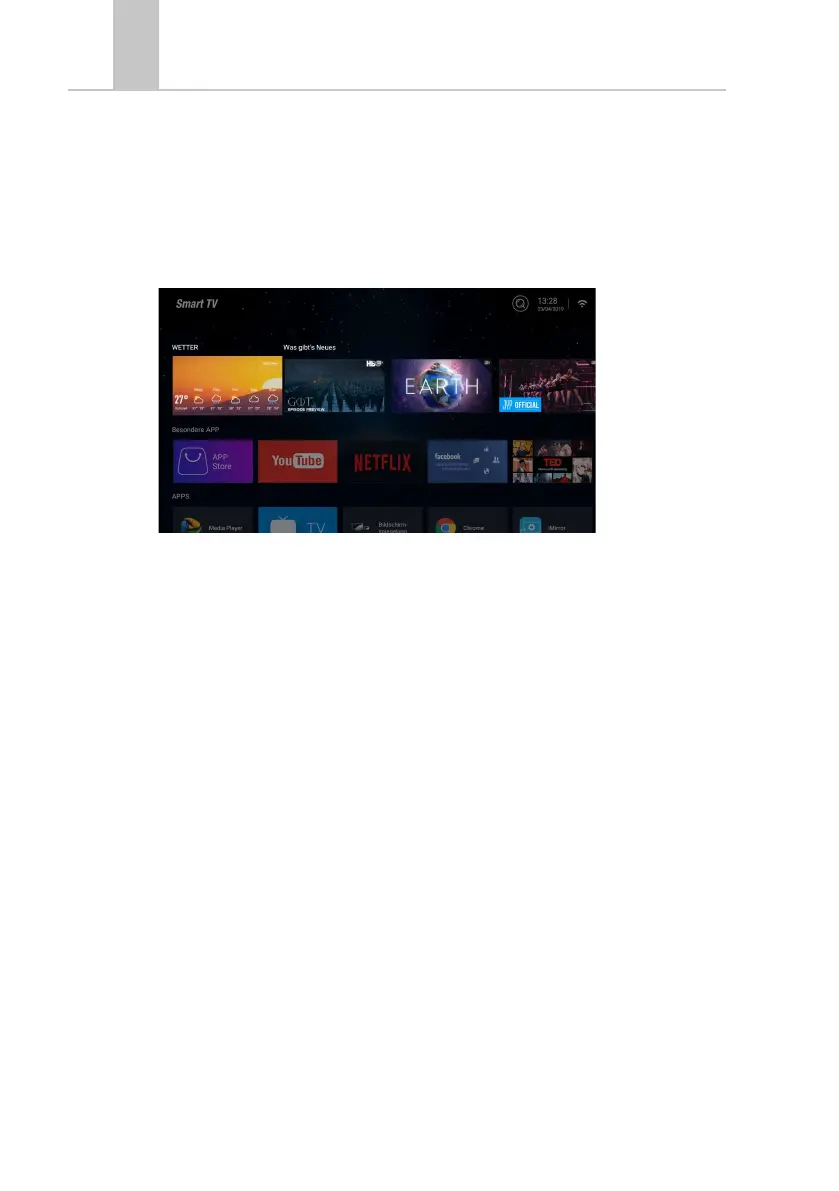
On the Smart TV interface you will find a wide selection of current videos, apps, current
weather and menu settings sorted by category.
Note: The contents are only available if the device is connected to the Internet via network.
1. Press the [HOME] key to enter the „Smart TV interface“.
2. Use the [▲▲ ▼t▲u ] buttons to navigate the menu.
3. Press the [OK] key to confirm the selection and open the required content.
4. Use the [EXIT] key to close an application or return to the last menu item.
The Smart TV interface is divided into the following categories:
Weather / What‘s new / Special APP / APPS / Music / Sport / Settings
Note:
• Weather, What‘s New, Featured APP, APPS, Music and Sports show Internet content
sorted by your categories.
• Reimo is not responsible for the loading speed of the Internet content shown.
Please check the speed of your internet access.



 To Next Page