Need help?
Do you have a question about the CareAlert Smart Dialler Series and is the answer not in the manual?
Explains the system's functionality, monitored vs. non-monitored modes, and includes a legal disclaimer.
A step-by-step guide for programming the dialler in non-monitored mode.
Instructions for configuring the dialler for both monitored and non-monitored security systems.
Details on how to program contact numbers and record a personalized emergency message.
Procedures for performing functional tests to ensure the dialler is operating correctly.
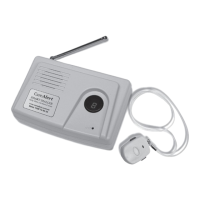
Explains the features of the wireless pendant and how to pair it with the base station.
A detailed explanation of the emergency call process and user actions required.
Guidelines on creating an emergency plan and advising contact persons.
Outlines precautions for safe use, maintenance, and battery replacement procedures.
Details on using the KeySafe Lock for securing house keys for emergency access.
Addresses common problems with the dialler's connectivity, programming, and signal issues.
Provides information on the product warranty, terms, and contact information for support.
Offers practical advice to elderly individuals for preventing slips, trips, and fall-related injuries at home.
 General
| Type | Smart Dialler |
|---|---|
| Emergency Call Feature | Yes |
| Range | Up to 100 meters |
| Water Resistance | Water-resistant (check specific model for IP rating) |
| Fall Detection | Yes |
| Monitoring Service | 24/7 monitoring |
| Additional Features | Two-way communication |

 To Next Page