EasyManua.ls Logo

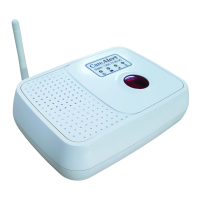
CareAlert CA-0417 - User Manual

Default Icon
36 pages
Print Icon
To Next Page IconTo Next Page
Loading...
1
Model No. CA-0417
OPERATION & INSTRUCTION MANUAL
IT IS YOUR RESPONSIBILITY TO READ THIS
INSTRUCTION MANUAL CAREFULLY
Important
information
& instructions
for your
Smart Dialler.
Uniquely
Flexible
Alert
System
Test Your CareAlert SmartDialler pendant battery on a regular basis by pressing the
Yellow button and listening for the base station to emit a door chime sound.
Question and Answer IconNeed help?

Do you have a question about the CareAlert CA-0417 and is the answer not in the manual?

Summary

Smart Dialler: How It Works and Disclaimer

Non-Monitored Setup: Quick Guide

Smart Dialler: Component Identification

Monitored System: Setup Guide

Monitored System: Important Setup Steps

Non-Monitored System: Overview

Non-Monitored: Installation and Programming

Programming Contact Numbers

Steps for programming up to five contact phone numbers into the Smart Dialler.

Programming: Voice Message Recording

Recording Emergency Messages

Instructions for recording custom voice messages for emergency calls.

Dialler Configuration and Setup

Smart Dialler: Testing Procedures

System Operation and Connectivity

SIM Card and Mobile Network Usage

Details on using the Smart Dialler with a SIM card and mobile network.

Wireless Pendant: Functions and Pairing

Pendant Operation and Pairing

Explanation of the pendant's buttons and how to pair it with the base station.

Emergency Situations: What to Expect

Emergency Preparedness and Action

Precautions and Maintenance

Changing Batteries: Dialler and Pendant

Troubleshooting: Common Issues

Troubleshooting: Programming and Signal

Programming Command Failures

Resolving issues with dialler not accepting programming commands.

Signal and SIM Card Problems

Addressing issues with mobile signal reception and SIM card compatibility.

Troubleshooting: Power and Pendant Response

Power Outage and Pendant Issues

Resolving dialler function during power loss and pendant non-response.

Troubleshooting: Range and Phone Connectivity

Troubleshooting: Audio and Communication

Troubleshooting: Battery and Dialler States

Pendant Low Battery Warning

Responding to the 'pendant battery low' message.

Unintended Dialling and Indicator Issues

Troubleshooting accidental dialling and LED display anomalies.

Troubleshooting: Cord and Message Issues

Frequently Asked Questions (Part 1)

Frequently Asked Questions (Part 2)

Monitoring Options Available

CareAlert CA-0417 Specifications

General IconGeneral
BrandCareAlert
ModelCA-0417
CategoryPersonal Care Products
LanguageEnglish

Related product manuals