25
PROBLEM CAUSE REMEDY
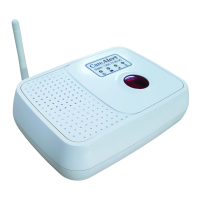
The range of the pendant to the
dialler is extremely poor
• Antenna is not in upright position.
• Main unit is placed close to
other wireless devices such as phone, NBN
modem, robotic vacuum cleaners, remote
doorbell systems etc.
• Main unit is placed on the oor or at
the corner of a building.
• The battery of the remote pendant is at
• The cordless phone is too close to
the Smart Dialler
• Place the antenna upright.
• Place the main unit away from the
electronic devices. If the problem
persists turn o the power to ALL
electronic devices. If problem
remedied then turn on one at a time
to identify clashing device.
• Place the main unit in an open
environment. Preferably around
waist height or above.
• Replace the battery.
• Separate the cordless phone and
Smart Dialler by a greater distance
especially if the cordless phone is a
higher powered type.
The home phone connected is
not functioning.
• The phone lines are not connected
correctly to the main unit.
• The “FUNCTION” switch is not set in
either “ALARM” or “MUTE” position.
• Make sure the main incoming
phone line is plugged into the “LINE”
socket and the cable from home
phone into the “TEL” socket.
• Set the “FUNCTION” switch to either
“ALARM” or “MUTE” position.



 To Next Page